
recevo.io FAQ: Private, No-Signup Invoicing Explained
Thinking about using recevo.io? This guide answers common questions about no-signup invoicing, browser-based storage, backups, privacy, offline use, quotes, expenses, PDFs, and accountant exports, so you can decide if recevo.io is the right fit for your freelance or sole trader workflow.
Choosing an invoicing tool is not just about creating a PDF.
Your invoices contain real business information: client names, addresses, project details, payment terms, totals, expenses, receipts, and records you may need later for your accountant.
So it is reasonable to ask questions before you start using a new app.
Where is my data stored?
Is it really free?
Can I lose my data?
Does it work offline?
Can I export records for my accountant?
Is this accounting software?
recevo.io is built around a simple idea: private, no-signup invoicing for independent workers.
It helps freelancers, sole traders, consultants, tradespeople, creatives, side hustlers, and micro-businesses create invoices and quotes, track expenses, export branded PDFs, and keep useful records without creating an account or storing a normal workspace in a central cloud invoice database.
This guide answers the questions prospective users often ask before trying recevo.io.
The goal is simple: help you understand how the app works, what it is good at, and which trade-offs are intentional.
What is recevo.io?
recevo.io is a private, no-signup invoicing app for independent workers.
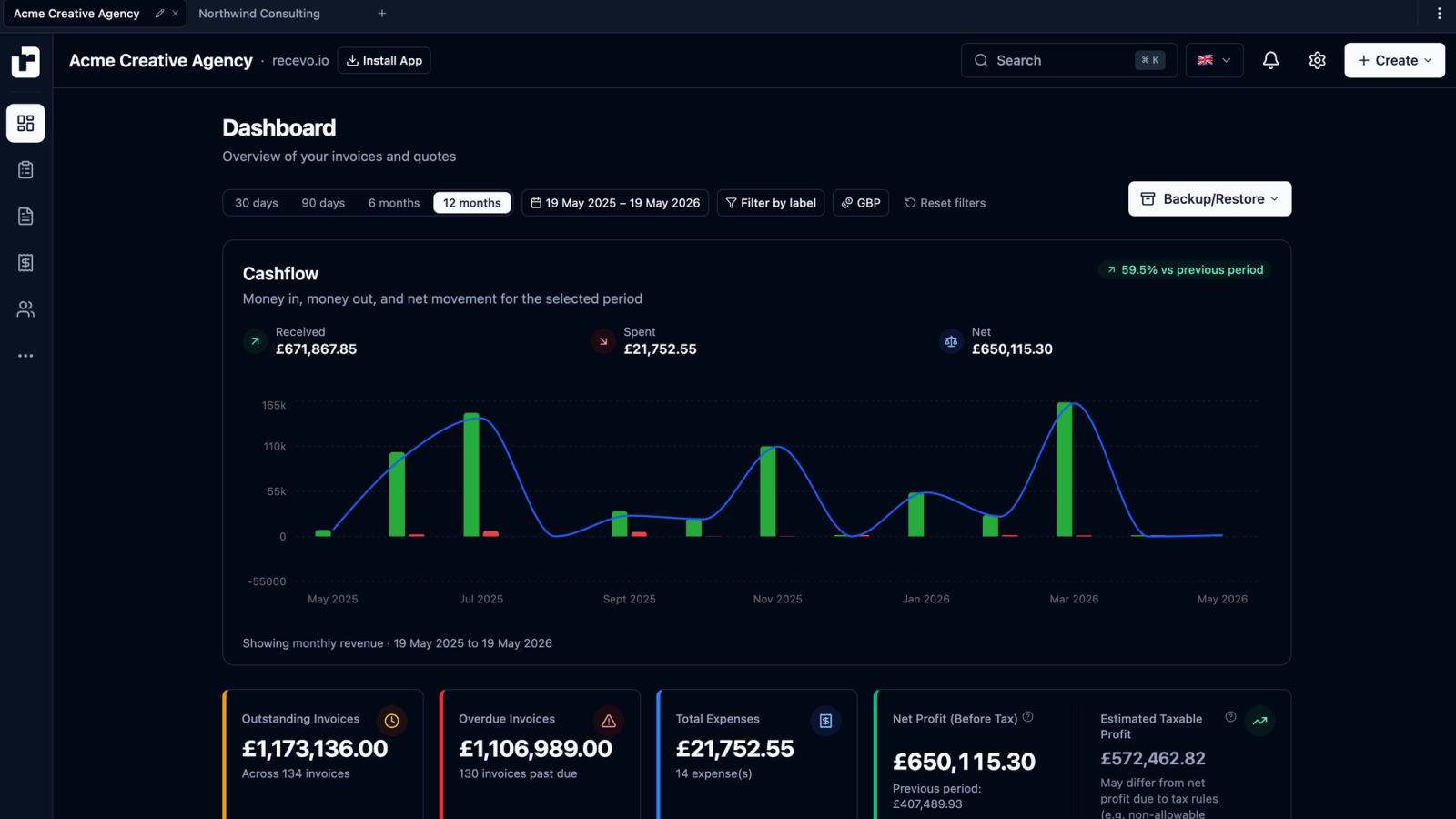
You can use it to create professional invoices and quotes, export branded PDFs, track payments, record expenses, attach receipts, manage customers and payees, review useful dashboard totals, and export records for your accountant.
The app runs in your browser and works offline once loaded.
It is designed for people who want a fast, simple invoicing workflow without signing up for another SaaS account or adopting a full accounting platform.
Who is recevo.io for?
recevo.io is built for people who work independently.
That includes freelancers, sole traders, consultants, designers, developers, writers, photographers, tutors, tradespeople, coaches, side hustlers, and privacy-conscious professionals.
It is especially useful if you:
want professional invoices and quotes,
work alone,
prefer not to create another account,
want to avoid another subscription,
need simple expense and receipt records,
want accountant-ready exports,
or like the idea of keeping business data under your own control.
recevo.io is not trying to replace a finance department. It is designed for independent workers who need practical invoicing without unnecessary overhead.
Who is recevo.io not for?
recevo.io is probably not the right fit if you need multi-user team access, automatic cloud sync, payroll, bank feeds, bank reconciliation, accountant logins, approval workflows, or advanced compliance automation.
Those are valid needs, but they belong to a different kind of product.
recevo.io is a personal, browser-first invoicing workspace.
If you want a full cloud accounting suite, a traditional accounting platform may be better.
If you want no-signup invoicing, quotes, expenses, PDFs, offline use, and local ownership, recevo.io may be exactly the right fit.
Is recevo.io really free?
Yes.
recevo.io is free to use, with no signup, no trial period, no invoice limits, and no premium tier for the core app.
The goal is to keep the core no-signup invoicing tool free.
One reason this is possible is that recevo.io has a different cost structure from typical cloud software. There are no user accounts, no hosted workspace database containing every user’s invoices, and no central file store for everyone’s business records.
Your normal workspace lives in your browser.
That keeps infrastructure simpler and helps make a genuinely free invoicing tool more realistic.
What is the catch?
The main trade-off is the browser-first data model.
recevo.io does not provide automatic cloud sync or team workspaces because it does not store your normal workspace in a central cloud invoice database.
In return, you get no signup, local ownership, offline use, and less dependence on a vendor-controlled cloud account.
But you are responsible for backing up your data.
That is not a hidden catch. It is an intentional trade-off.
recevo.io is designed for people who prefer local ownership over cloud convenience.
Where is my recevo.io data stored?
Your recevo.io workspace is stored in your browser.
That includes invoices, quotes, expenses, customers, payees, settings, labels, categories, payment records, and other workspace data.
There is no central recevo.io cloud workspace containing your normal app data.
This is one of the most important things to understand about recevo.io.
Your invoices are not in a recevo.io database waiting behind a login. They live in your browser, under your control.
Can recevo.io see my invoices?
Your normal workspace is stored in your browser, not in a central recevo.io invoice database.
A precise way to say it is this:
recevo.io does not store a readable cloud database of your normal workspace data.
The app is still delivered from servers, because it is a web app. But your normal invoices, quotes, expenses, customers, and settings live locally in your browser.
When you choose to create a share link, the shared document is encrypted before leaving your browser. The decryption key is kept in the URL fragment rather than sent to the server in normal requests.
Does recevo.io use servers at all?
Yes.
recevo.io is still a website and web app, so servers are used to deliver the marketing site and the app itself.
The important difference is that your normal workspace is not stored in a central cloud invoice database.
That is what makes recevo.io different from many traditional cloud invoicing tools.
What data is encrypted?
The majority of sensitive local data is encrypted at rest in your browser using AES-GCM-256 through the Web Crypto API.
That can include sensitive fields such as addresses, line items, notes, receipt attachments, payment details, and similar business data.
Some fields remain unencrypted so the app can search, sort, filter, and display records efficiently.
Examples may include document numbers, customer names, financial totals, dates, and statuses.
This is an intentional usability trade-off and is disclosed clearly rather than hidden.
Is browser encryption enough?
Browser encryption improves the privacy model, but it does not remove every risk.
You should still secure your device, keep your browser profile protected, lock your screen, store backups safely, and only share invoice links or PDFs with intended recipients.
recevo.io is designed to avoid storing your normal workspace in a central readable invoice database.
It is not a replacement for good device security.
What happens if I clear my browser data?
Your recevo.io workspace may be deleted.
Because recevo.io stores your data locally in your browser, clearing site data, uninstalling your browser, using certain privacy-cleaning tools, private browsing modes, or resetting your device can remove your invoices and settings.
This is why Backup & Restore is a core part of the recevo.io workflow.
If you use recevo.io, you should export regular backups and store them somewhere safe.
Can I lose my data?
Yes, if browser data is cleared, your device is lost, your browser is uninstalled, your browser profile is removed, or your machine is reset without a backup.
recevo.io gives you local ownership, but local ownership comes with local responsibility.
Backups are how you protect your records.
The best habit is simple: back up whenever losing recent changes would be frustrating.
How do recevo.io backups work?
You can export your workspace as a JSON backup file and restore it later.
Backups can be used to safeguard your data, move to a new device, or manually copy your workspace between browsers.
The backup format is designed to be portable and readable so your data is not trapped inside recevo.io.
You should treat backup files as sensitive business records because they can contain invoice details, customer information, expenses, settings, and other business data.
Store them securely.
Are backup files encrypted?
Backup files are exported as plain JSON for portability and transparency.
That means you can inspect them, archive them, move them, and keep a copy outside recevo.io without depending on a proprietary export format.
The trade-off is that backup files should be stored securely.
Use encrypted storage, an encrypted drive, or a password-protected archive if appropriate.
Can I use recevo.io on a new laptop or phone?
Yes, manually.
Export a backup from your current device, transfer the file to your new device, open recevo.io there, and restore the backup.
There is no automatic cloud sync because recevo.io does not store your workspace on a central server.
This gives you portability without turning recevo.io into a cloud account.
Does recevo.io have cloud sync?
No.
recevo.io does not provide automatic cloud sync.
That is an intentional privacy trade-off, not an accidental missing feature.
Cloud sync is convenient, but it usually requires storing a copy of your workspace in a vendor-controlled cloud database.
recevo.io chooses a different model: no signup, browser-local data, offline use, and manual portability through Backup & Restore.
Can my team use the same workspace?
No.
recevo.io is a single-user tool.
You can share individual invoices and quotes as encrypted read-only links or PDFs, but there is no shared team workspace, multi-user login, permission system, or accountant login.
Team access requires accounts, permissions, shared cloud storage, and a different security model.
recevo.io is built for independent workers who want a personal invoicing workspace.
Does recevo.io work offline?
Yes.
recevo.io is a Progressive Web App. Once the app has loaded, it can cache the app and work offline.
You can create, edit, manage, and export invoices without an internet connection once the app is available on your device.
Some actions still require connectivity, such as opening the app for the first time, receiving app updates, or using online sharing features.
But core invoice and quote workflows are designed to work offline.
Do I have to install recevo.io?
No.
You can use recevo.io directly in your browser.
Installing it as a Progressive Web App is optional. Installation gives you a more app-like experience, easier access, and stronger offline convenience.
recevo.io works on desktop and mobile, although invoice editing is naturally more comfortable on larger screens.
Mobile is useful for on-site estimates, quick edits, expenses, receipt capture, and checking records while away from your desk.
Can I create invoices?
Yes.
recevo.io includes a professional invoice builder with line items, tax, discounts, shipping, notes, terms, custom numbering, statuses, payment tracking, refunds, PDF export, encrypted sharing, and more.
You can create a clean invoice, export it as a PDF, send it to your client, and track whether it has been paid.
Can I create quotes and estimates?
Yes.
recevo.io includes a quote and estimate builder with scope of work, timelines, deliverables, validity dates, line items, tax, discounts, sharing, PDF export, and one-click conversion to invoice.
That means you can quote the work first, then invoice when the client accepts.
Can I convert a quote to an invoice?
Yes.
Accepted quotes can be converted into invoices with one click, carrying over relevant customer, line item, pricing, tax, discount, and document details.
This saves time and reduces mistakes compared with copying details manually from one document to another.
Can I track payments?
Yes.
recevo.io lets you record payments and refunds against invoices. The invoice balance updates as transactions are added.
You can use recevo.io to keep track of what has been invoiced, what has been paid, and what is still outstanding.
Can I take payments through recevo.io?
Yes. Connect your own Stripe account and every invoice you share or download carries a secure payment link your client can pay by card.
Your client pays on Stripe's checkout, the money goes straight into your Stripe account, and recevo.io marks the invoice as paid for you. recevo.io adds no fees of its own and never sees card details.
You can still include bank details, PayPal details, or other payment instructions on your invoices, and record those payments yourself.
Connecting Stripe is optional, and your invoices still live in your browser. Read our guide to accepting card payments on your invoices with Stripe.
Can I track expenses?
Yes.
recevo.io includes an expenses module with receipt attachments, categories, labels, tax classification, payees, optional customer links, audit history, and dashboard reporting.
This is useful if you want to keep income and expenses in the same workspace instead of splitting records across invoices, spreadsheets, folders, and photos.
Can I track recurring expenses?
Yes.
recevo.io includes recurring expense templates for regular outgoings such as subscriptions, rent, utilities, insurance, retainers, and software seats.
Pending occurrences are generated on schedule but never auto-post to your books.
You review each one and choose whether to confirm, confirm and mark paid, or skip.
This gives you a useful reminder system without silently adding expenses you have not approved.
Can I attach receipts?
Yes.
You can attach receipt images, scanned PDFs, supplier invoices, and similar files to expenses.
Attachments are stored locally in your browser and encrypted at rest.
This helps keep expense records and supporting documents together, which can make accountant handoff easier later.
Can I manage customers, payees, and reusable line items?
Yes.
recevo.io includes a customer directory for client details, a payees directory for suppliers and recurring expense contacts, and a line item library for common products or services.
This helps reduce repeated typing and keeps your invoicing workflow more organised.
Can I customise invoice PDFs?
Yes.
recevo.io includes branded PDF templates.
You can choose a template, upload a logo, set an accent colour, add a tagline, and add footer text.
Branding is snapshotted onto documents when they are saved, so changing your workspace branding later does not rewrite historic PDFs.
This helps your invoices and quotes stay professional and consistent.
Can I export records for my accountant?
Yes.
recevo.io can export accountant-ready files such as invoice PDFs, expense attachments, CSV spreadsheets, category data, and tax classification information.
The goal is to help you hand over cleaner records.
recevo.io does not replace your accountant and does not provide tax advice, but it can help you keep invoices and expenses organised during the year.
Can I import data from another tool?
Yes.
recevo.io includes a CSV import wizard for invoices, quotes, expenses, customers, and payees.
CSV parsing happens in your browser. You can map columns, preview what will be created or updated, and commit only when you are ready.
This makes it easier to bring existing records into recevo.io without uploading the CSV to a central import service.
Is recevo.io accounting software?
No.
recevo.io is an invoicing-first tool, not full accounting software.
It includes useful financial tools such as expenses, categories, tax classification, a live P&L dashboard, payment tracking, and accountant-ready exports.
But it is not a replacement for a full accounting suite, payroll system, bank-feed reconciliation tool, tax filing product, or professional accounting advice.
This distinction matters.
recevo.io helps independent workers quote, invoice, track practical records, and export useful files. It is not trying to be a smaller version of QuickBooks, Xero, FreshBooks, FreeAgent, Wave, or Zoho.
Can I use recevo.io for tax?
recevo.io can help you organise invoices, quotes, expenses, categories, tax classifications, and exports for your own records or your accountant.
It includes estimated taxable profit features, but those are for visibility, not compliance automation.
Important tax questions should always be checked with an accountant or official guidance.
Does recevo.io support VAT or sales tax?
recevo.io supports configurable tax rates and labels on invoices, but it is not a tax filing or compliance platform.
Users are responsible for setting up invoices correctly for their jurisdiction.
If you have VAT, sales tax, Making Tax Digital, or local compliance obligations, check with your accountant.
Does recevo.io connect to bank feeds?
No.
recevo.io does not connect to bank accounts and does not provide bank-feed reconciliation.
That keeps the app simpler, more private, and usable without accounts or financial integrations.
If bank feeds and reconciliation are essential to your workflow, a traditional accounting platform may be a better fit.
Why not just use a spreadsheet?
A spreadsheet is great for total control.
recevo.io is for people who want similar ownership, but with a real invoicing workflow.
It gives you professional PDFs, quotes, quote-to-invoice conversion, customer records, payment tracking, expenses, receipts, recurring expenses, P&L, and accountant exports without building everything yourself.
If your spreadsheet still works perfectly, that is fine.
If it is starting to feel too manual, recevo.io gives you more structure without forcing you into a heavy platform.
How is recevo.io different from a basic invoice generator?
A basic invoice generator is useful for one-off invoices.
recevo.io is for people who need a workflow.
You get invoices, quotes, customers, payments, expenses, receipts, branded PDFs, recurring expenses, dashboard reporting, import tools, backups, and accountant exports.
It starts quickly like a template generator, but gives you more structure when you need it.
How is recevo.io different from cloud accounting tools?
Cloud accounting tools are useful for people who want cloud accounts, automatic sync, bank feeds, integrations, teams, accountant access, and full accounting workflows.
recevo.io makes a different trade-off.
It gives you no signup, no subscription, local browser storage, offline use, and simple invoicing for independent workers.
It is not better for everyone. It is better for a specific kind of user: someone who wants practical invoicing without handing their workspace to a central cloud account.
What if recevo.io shuts down?
Your normal workspace is already on your device.
You can export your data as JSON and keep a copy independently of the service.
That reduces lock-in compared with a cloud workspace that only exists behind an account.
The app itself is still needed for the full restore workflow, so regular backups and exports remain important.
Can I rely on a free app for business records?
You should be careful with any tool that handles business records.
recevo.io is designed to reduce dependency on a vendor by keeping your workspace local and exportable.
You should still make regular backups, store them securely, and keep copies of important accountant exports.
The benefit of recevo.io is not that you never have to think about records. It is that you have more control over them.
Is recevo.io open source?
recevo.io is not currently open source.
That is a fair question for a privacy-focused app.
The privacy model is based on architecture: browser-local storage, encrypted local data, encrypted sharing, and portable exports.
Transparency around the trade-offs is important, which is why recevo.io explains its model clearly rather than relying on vague claims.
What are the main trade-offs?
recevo.io deliberately chooses local ownership over cloud convenience.
That means there is no automatic cloud sync, no team workspace, no account password, no remote logout, no bank feeds, no payroll, no accountant login, and no direct tax filing.
It also means backups are your responsibility, and clearing browser data can remove your workspace.
In exchange, you get no signup, no subscription, local browser storage, offline use, no central cloud invoice database, portable exports, professional invoices and quotes, and useful financial depth without a full accounting suite.
That trade-off is not right for everyone.
For many freelancers and sole traders, it is exactly the point.
The simplest way to understand recevo.io
recevo.io gives you the speed of an invoice generator, the structure of an invoicing app, and the ownership model of local files.
Your invoices are not in our database.
They are in your browser, under your control.
Should you try recevo.io?
You should try recevo.io if you want a free, private, no-signup invoicing app that helps you create invoices and quotes quickly, export professional PDFs, track payments, record expenses, attach receipts, work offline, and export useful records for your accountant.
You should probably choose something else if you need automatic cloud sync, team access, bank feeds, payroll, accountant logins, or direct tax filing.
That is the honest answer.
recevo.io is not trying to be everything.
It is trying to be a fast, private, practical invoicing workspace for independent workers who want more control over their business data.
Start invoicing without signing up
You do not need another account just to send an invoice.
With recevo.io, you can create professional invoices and quotes, keep your data in your browser, work offline once loaded, export PDFs, record expenses, and back up your workspace when you need to.
No signup. No subscription. No invoice limits. No central cloud invoice database for your normal workspace.
Start here:
Unlimited invoices, quotes & expenses · Free forever
Private invoicing, free forever
No account, no central database, no ads. Open the app and start invoicing with your data under your control.
Free forever · No account · No card · Nothing uploaded · Opens in a new tab
Unlike most free invoice tools:
- Unlimited invoices and quotes
- Branded PDFs with no watermark
- Works offline in your browser
- Your data never leaves your device
- Expenses and profit tracking included
- No account, no card, no premium tier

“My data isn't sitting in some vendor's database, and I can share secure read-only links.”