
How to Bill Clients for Expenses as a Freelancer
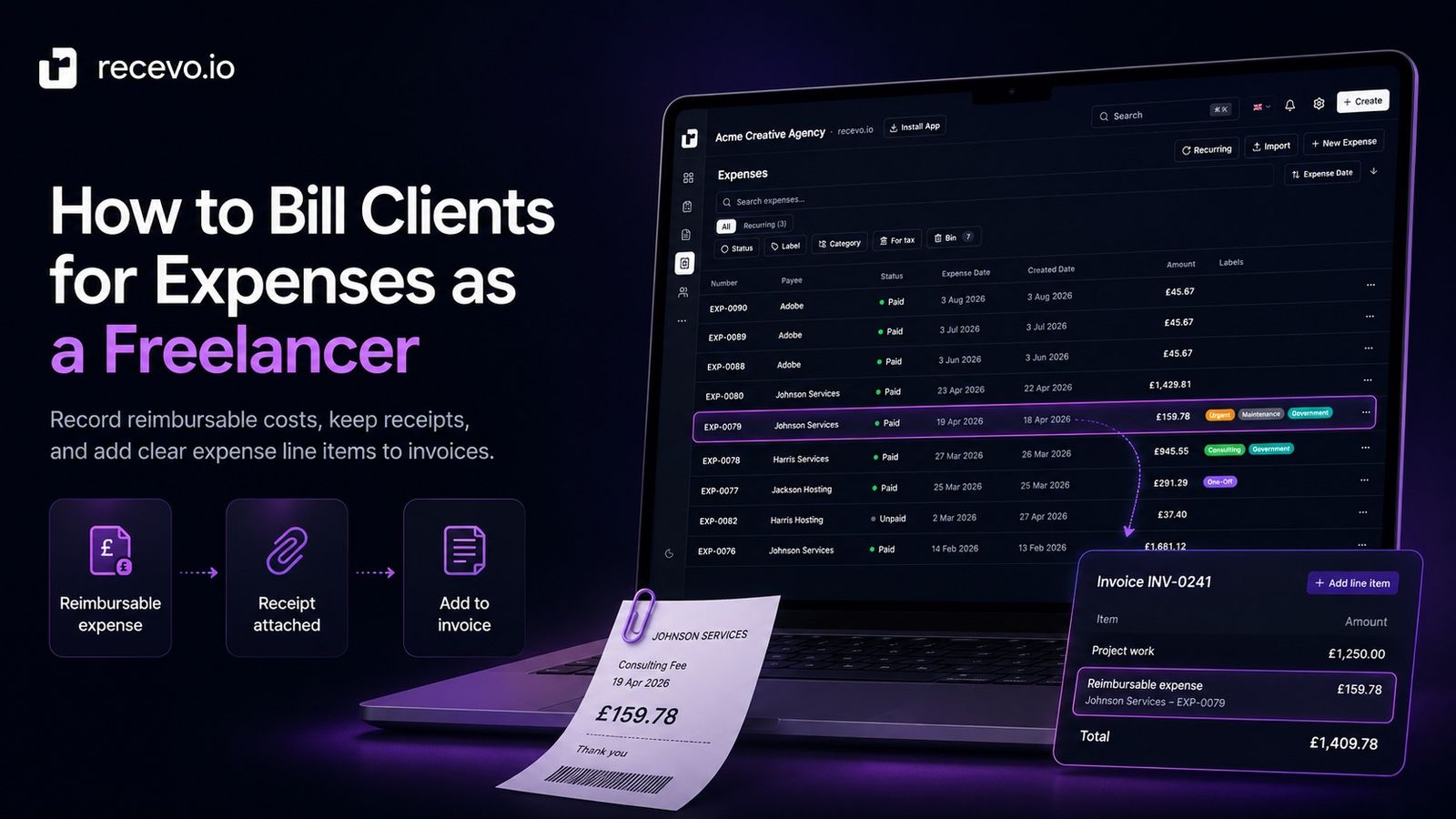
Client expenses can be easy to forget or awkward to explain. Here’s how freelancers can record reimbursable costs, keep receipts, and add them clearly to invoices.
Update, 4 October 2026: recevo.io can now take card payments through Stripe. Connect your own Stripe account and every invoice you share or download, including invoices that bill a client for expenses, carries a secure payment link. When your client pays through it, recevo.io is notified automatically and marks the invoice as paid. Where this guide says to record a payment yourself, that now applies only to payments made outside Stripe, such as bank transfers and cash. Read our guide to accepting card payments on your invoices with Stripe.
Sometimes freelance work involves more than your time.
You may need to pay for train tickets, materials, postage, printing, stock, licences, hosting, subcontractor help, equipment hire, or other project costs.
If those costs are part of the client work, you may need to charge them back to the client.
That sounds simple.
But client expenses can quickly become messy if they are not agreed, recorded, and invoiced clearly.
Did the client approve the cost?
Is it included in your fee or charged separately?
Do you have the receipt?
Should it appear as a separate line item?
Has the client reimbursed it yet?
Does it affect the invoice total, tax, or payment terms?
For freelancers, sole traders, consultants, creatives, tradespeople, and independent workers, billing clients for expenses does not need to be complicated.
The main goal is to keep the workflow clear:
Agree the expense.
Record the cost.
Keep the receipt.
Add it to the invoice.
Track whether it has been paid.
This guide explains how to bill clients for expenses, how to record reimbursable costs, what to include on the invoice, and how recevo.io can help you keep expenses, receipts, invoices, and payment records organised.
This is general business admin guidance, not tax, legal, or accounting advice. If you are unsure whether an expense should be charged to a client, how tax applies, or what your contract allows, check official guidance or speak to a professional adviser.
What are client expenses?
Client expenses are costs you pay in connection with a client’s work.
They may be costs you need to complete the project, attend a meeting, buy materials, deliver something, or use a third-party service.
Examples include:
- travel
- accommodation
- postage
- printing
- materials
- stock
- equipment hire
- software licences
- domain names
- hosting
- specialist tools
- subcontractor costs
- courier fees
- venue costs
- project-specific purchases
Some client expenses are charged back separately.
Others are included in your project fee.
The important thing is to be clear which is which.
Reimbursable expenses vs included expenses
Before you invoice a client for expenses, you need to know whether the cost is reimbursable.
A reimbursable expense is a cost the client has agreed to pay back separately.
For example:
“Client will reimburse train travel for the on-site workshop.”
or:
“Materials will be charged separately at cost.”
An included expense is already built into your price.
For example:
“Project fee includes standard software, admin, and delivery costs.”
The difference matters.
If a client thinks your price includes everything, they may be surprised when expenses appear on the invoice later.
If you know expenses will be extra, say so early.
Agree expenses before you spend
The best time to discuss client expenses is before you pay for them.
This is especially important for larger or unusual costs.
Before spending, try to confirm:
- what the expense is
- why it is needed
- the estimated amount
- whether the client has approved it
- whether it will be charged at cost
- whether a markup applies
- whether there is a spending limit
- whether receipts are required
- when it will be invoiced
For example:
“Travel costs for the workshop will be billed separately at cost, with receipts attached.”
or:
“Any materials above £100 will be agreed with you before purchase.”
Clear agreement prevents awkward follow-up later.
Put expense terms in the quote
If expenses are likely, include them in your quote, estimate, proposal, or project confirmation.
Do not wait until the final invoice to mention them.
A quote might say:
“Project fee excludes travel, accommodation, and printing. These will be billed separately if required and agreed in advance.”
or:
“Materials are not included in the project fee and will be invoiced at cost with receipts.”
or:
“Client-approved expenses will be added to the final invoice as separate line items.”
This gives the client a chance to approve the structure before work begins.
recevo.io supports quotes and estimates as well as invoices, so you can set expectations early and then convert accepted quotes into invoices when the work is ready to bill.
Common expenses freelancers bill to clients
The expenses you charge back depend on the type of work you do.
Here are common examples.
Travel
Travel is one of the most common reimbursable expenses.
This might include:
- train tickets
- fuel
- parking
- taxis
- flights
- accommodation
- meals during agreed travel
- public transport
If travel will be charged separately, agree it before the trip.
Example wording:
“Travel required for on-site work will be billed separately at cost, with receipts provided.”
Materials
Materials are common for tradespeople, makers, photographers, designers, event suppliers, and project-based freelancers.
Examples include:
- raw materials
- parts
- stock
- props
- packaging
- printing supplies
- installation materials
Make it clear whether materials are included in the quoted price or added separately.
Postage and courier costs
If you need to send physical items to the client, postage and courier fees may be reimbursable.
For example:
“Courier costs for final samples will be added to the invoice at cost.”
Keep the receipt or tracking confirmation.
Printing and production
Some projects require printed materials, prototypes, samples, signage, packaging, or production work.
If you pay the supplier and recharge the client, record the receipt carefully.
The client may want to know exactly what was produced and why.
Licences and third-party tools
Some work may require project-specific licences, assets, fonts, plugins, stock photography, music, data, templates, or software.
Be careful here.
Licensing terms can be specific, and not every purchase can simply be passed on without checking the conditions.
Make sure the client understands what is being bought and who can use it.
Subcontractor costs
Sometimes you may bring in another freelancer or specialist to help with a project.
If the client has agreed that this cost is separate, it can be billed as a project expense.
If subcontractor costs are part of your fixed project fee, you may not need to show them separately.
Be clear from the start.
Client-specific setup costs
Some projects require setup costs such as hosting, domain names, account setup, venue booking, equipment hire, or specialist access.
If the cost belongs to the client’s project, record it clearly and keep the receipt.
Should client expenses be separate line items?
Usually, yes.
If you are billing a client for expenses, separate line items make the invoice easier to understand.
Instead of adding a vague amount called “extras”, write something clear.
For example:
“Train travel for on-site workshop — £48.50”
“Printed project materials — £72.00”
“Courier delivery of samples — £18.95”
“Client-approved stock photography licence — £35.00”
This helps the client see what they are paying for.
It also makes your own records clearer later.
When might expenses be included in the main fee?
Sometimes you may decide not to itemise expenses separately.
For example:
- the cost is small
- the expense is part of your normal overhead
- you priced the project to include it
- the client prefers one fixed fee
- you do not want to expose every internal cost
- the expense is not specifically reimbursable
That can be fine.
Just make sure your pricing covers the cost.
If you include expenses in your project fee, you may still want to record them internally so you understand your true profit.
What receipt records should you keep?
When billing a client for expenses, keep supporting records.
A useful expense record should include:
- date
- payee or supplier
- amount
- currency
- description
- project or client
- receipt or invoice attachment
- payment method
- whether the client approved it
- whether it has been billed
- whether it has been reimbursed
- notes
For example:
“Train ticket to Manchester for client workshop, 12 August 2026, £42.80, approved by email, receipt attached, added to invoice INV-0048.”
That is much more useful than simply writing:
“Travel — £42.80.”
Attach receipts where possible
If a client is reimbursing you, they may want to see the receipt.
Even if they do not ask for it, keeping the receipt protects your own records.
A good workflow is:
- Pay the expense.
- Save the receipt.
- Record the expense.
- Attach the receipt.
- Add the client or project name.
- Mark it as reimbursable if relevant.
- Add it to the invoice.
- Track whether it has been paid.
recevo.io helps you record expenses and attach receipts, so the cost and supporting file can stay close together.
Use notes to explain the expense
Receipts do not always explain the full story.
A receipt might show a train ticket, but not which client meeting it was for.
A receipt might show materials, but not which project they were used on.
A short note can make the record much clearer.
Examples:
- “Travel to client workshop in Leeds”
- “Materials for Jones installation”
- “Courier delivery of approved samples”
- “Stock image licence approved by client”
- “Client reimbursable — add to final invoice”
- “Already included in project fee — do not recharge”
- “Ask accountant how to classify”
Notes are especially useful when you review records later.
How to describe expenses on an invoice
Expense line items should be specific, but not overly complicated.
A good line item explains what the cost was and why it appears on the invoice.
Examples:
“Client-approved travel expenses for on-site workshop”
“Materials for bathroom installation project”
“Courier delivery for product samples”
“Printing costs for event handouts”
“Domain registration for client website”
“Stock image licence for campaign landing page”
Avoid vague wording like:
“Expenses”
“Extras”
“Other costs”
“Admin”
“Stuff”
The clearer the description, the fewer questions the client is likely to ask.
Should you attach receipts to the invoice?
That depends on the client, the expense, and your agreement.
For some clients, listing the expense clearly on the invoice is enough.
For others, attaching receipts may be expected.
You might send receipts:
- as separate attachments
- as part of an expense summary
- on request
- through the client’s finance portal
- as part of an accountant handoff pack
- with the final project invoice
If you do share receipts, remember that they may contain sensitive information.
Check what is included before sending.
recevo.io supports expense attachments for your records, and invoice PDFs for client billing. You should decide what supporting files are appropriate to share with the client.
How to handle deposits and upfront costs
For larger projects, you may not want to pay client expenses from your own pocket.
You can ask for a deposit, advance payment, or materials payment before work begins.
Example wording:
“Materials payment due before ordering. Remaining project balance due on completion.”
or:
“50% deposit due before work begins. Client-approved expenses will be billed separately.”
or:
“Travel and accommodation must be approved and paid before the on-site work is confirmed.”
This can protect your cash flow.
It also avoids a situation where you spend money before the client is fully committed.
How to handle expenses outside the original scope
Sometimes expenses appear after the project starts.
For example, the client asks for extra printed materials, an additional site visit, faster shipping, premium stock assets, or a new third-party service.
When that happens, do not assume.
Confirm the extra cost first.
Example message:
“This is outside the original quote. I can arrange it, but the additional cost will be £85 and will be added to the final invoice. Please confirm you are happy for me to go ahead.”
That creates a written record before you spend the money.
How to track whether expenses have been reimbursed
Billing the expense is not the final step.
You also need to track whether the client has paid it.
If the expense is added to a normal invoice, payment tracking may be straightforward.
But if the client pays in parts, reimburses expenses separately, or pays the project fee but not the extra costs, you need a clear record.
Track:
- the invoice number
- the expense amount
- whether the expense was included on the invoice
- whether the invoice was paid
- whether the expense was reimbursed separately
- any partial payments
- any refunds or corrections
recevo.io lets you manually record payments and refunds against invoices, so you can keep a clearer record of what has been paid.
It does not automatically know that a client has reimbursed you. You update the record yourself when payment arrives.
Reimbursable expenses and tax
Be careful with tax assumptions.
How expenses should appear on invoices, whether tax applies, and how reimbursements should be treated can depend on your location, business structure, tax status, client agreement, and the type of expense.
This article cannot tell you how to treat every expense.
Use recevo.io to keep clear records, but do not rely on it to decide tax treatment.
If you are unsure, check official guidance or speak to an accountant.
Reimbursable expenses and profit
Client expenses can affect your profit in different ways.
If you pay £100 for materials and charge the client £100 back, you may think the cost cancels out.
But you still need a clear record of both sides:
- the expense you paid
- the invoice amount charged to the client
- the payment received from the client
If you apply a markup, handling fee, or project management fee, that should be agreed and described clearly.
If you absorb the expense into your project fee, your profit margin is lower.
Either way, tracking the cost helps you understand what the project really earned.
Avoid using memory as your system
It is easy to think you will remember client expenses.
You probably will not.
Small costs are especially easy to forget:
- parking
- postage
- small tools
- extra materials
- printing
- travel top-ups
- software add-ons
- client-specific purchases
If the expense is reimbursable, record it as soon as possible.
Otherwise, you may forget to invoice it.
Common mistakes when billing clients for expenses
Not agreeing expenses first
The biggest mistake is spending money and only later telling the client they need to reimburse it.
Agree expense terms upfront where possible.
Using vague invoice descriptions
“Expenses” is not a helpful line item.
Describe what the expense was for.
Losing receipts
If you cannot find the receipt later, the expense may be harder to explain.
Save receipts when the purchase happens.
Forgetting to add expenses to the invoice
A reimbursable expense does not help your cash flow if you forget to bill it.
Use a system to mark expenses that need invoicing.
Mixing included and reimbursable costs
Be clear about whether an expense is included in the project fee or charged separately.
Do not switch between the two without telling the client.
Not tracking payment
Once the expense is invoiced, track whether it has been paid.
Do not assume that because the invoice was sent, the expense has been reimbursed.
Adding unexpected markups
If you charge more than the cost, make sure the client understands the structure.
Unexpected markups can damage trust.
How recevo.io helps with client expenses
recevo.io is private, no-signup invoicing for independent workers.
It helps you create invoices and quotes, record payments, track expenses, attach receipts, organise payees, use categories and labels, and prepare cleaner records for accountant handoff.
For client expenses, recevo.io can help you:
- create quotes with expense terms
- create invoices with clear expense line items
- add notes and payment terms
- export professional invoice PDFs
- share invoices with encrypted read-only links
- record expenses
- attach receipts
- organise payees
- use categories and labels
- keep client-related costs visible
- manually record payments and refunds
- export records when needed
The key word is “manual”.
recevo.io helps you record and organise expenses, but it does not automatically decide what should be charged to a client.
It does not automatically know whether an expense is reimbursable.
It does not automatically add expenses to an invoice.
It does not automatically decide tax treatment.
It does not automatically know whether the client has reimbursed you.
You stay in control of the workflow.
A simple workflow for billing client expenses
Here is a practical workflow freelancers can use.
1. Agree the expense
Before spending, confirm whether the client will reimburse the cost.
2. Save the receipt
Download the PDF, save the email receipt, or take a clear photo of the paper receipt.
3. Record the expense
Add the date, payee, amount, category, client or project, and a short note.
4. Mark it as client-related
Use a label or note such as “Client reimbursable” or “Project cost”.
5. Add it to the invoice
Create a clear invoice line item that describes the expense.
6. Attach or provide receipts if needed
Share receipts with the client where appropriate and keep them for your own records.
7. Send the invoice
Export the PDF or share the invoice through your normal client workflow.
8. Record payment
When the client pays, manually record the payment against the invoice.
9. Review open expenses
Check regularly for client expenses that have been recorded but not yet billed.
Does recevo.io automatically add expenses to invoices?
No.
recevo.io does not automatically add recorded expenses to client invoices.
You decide what should be invoiced, create the relevant invoice line items, and keep your records updated.
This is deliberate.
Whether an expense should be billed to a client depends on your agreement, context, and judgement.
A tool should not guess that for you.
Does recevo.io decide whether an expense is reimbursable?
No.
recevo.io can help you record, label, categorise, and organise expenses, but it does not decide whether a client must reimburse them.
That depends on what you agreed with the client.
Use notes and labels to make the status clear.
Does recevo.io process payments?
Card payments are processed by Stripe, through your own Stripe account.
Connect it once and recevo.io adds a secure payment link to every invoice you share or download, so your client can pay by card and the payment is recorded for you.
The money goes straight into your Stripe account, with no extra fees from recevo.io. Read our guide to accepting card payments on your invoices with Stripe.
You can still include other payment instructions on the invoice, then record the payment yourself when it arrives.
Your normal workspace lives in your browser
recevo.io is browser-based by design.
Your normal workspace lives in your browser, not in a central recevo.io invoice database.
That is a deliberate privacy and ownership choice.
It means you can create invoices, quotes, payment records, expenses, notes, and receipt records without handing your normal workspace to a central cloud database.
There is an important trade-off.
If browser data is cleared, your local workspace can be lost unless you have a backup.
recevo.io supports manual JSON Backup & Restore. Backup files are plain JSON for portability and transparency, so they may contain sensitive business data and should be stored securely.
Optional Encrypted Cloud Backup is also available as an off-device safety net. It is opt-in, off by default, and is not real-time cloud sync or team collaboration.
Is recevo.io accounting software?
No.
recevo.io is an invoicing-first tool for independent workers.
It includes useful depth around quotes, expenses, payment tracking, live P&L visibility, categories, tax classification, receipt attachments, and accountant-ready exports, but it is not accounting software, tax filing software, payroll software, or a replacement for your accountant.
The goal is simpler:
Quote the work. Record the expense. Keep the receipt. Invoice the client. Track the payment.
Frequently asked questions
Can freelancers bill clients for expenses?
Yes, freelancers can bill clients for expenses when those expenses have been agreed as reimbursable or chargeable.
It is best to agree this before spending the money.
What expenses can freelancers charge to clients?
Common client expenses include travel, materials, postage, courier costs, printing, licences, accommodation, equipment hire, subcontractor costs, and project-specific purchases.
What you can charge depends on your agreement with the client.
Should expenses be separate line items on an invoice?
Often, yes. Separate line items make expenses easier to understand.
For example, “Train travel for client workshop” is clearer than “Expenses”.
Should I attach receipts when invoicing client expenses?
That depends on the client and your agreement. Some clients may require receipts, while others may only need clear invoice line items.
It is still a good idea to keep receipts for your own records.
Should I charge expenses at cost or add a markup?
That depends on your pricing, agreement, and type of work.
If you add a markup, handling fee, or project management fee, make sure the client understands it before you invoice.
Can recevo.io track reimbursable expenses?
recevo.io can help you record expenses, attach receipts, use categories and labels, and keep notes, which can help you manage client-related costs.
It does not automatically decide whether an expense is reimbursable.
Can recevo.io add expenses to an invoice automatically?
No. You manually decide what expenses to add to an invoice and create the relevant invoice line items yourself.
Can recevo.io record client payments?
Yes. recevo.io records card payments made through your Stripe payment link for you, and lets you manually record other payments and refunds against invoices, helping you track whether the client has paid.
Is recevo.io accounting software?
No. recevo.io is an invoicing-first tool for independent workers. It includes expense and receipt organisation, but it is not accounting software, tax filing software, payroll software, or a replacement for your accountant.
Do I need an account to use recevo.io?
No. Open the app and start invoicing — no account required.
recevo.io does not require an email address, password, trial, or subscription to use the core no-signup app.
Bill client expenses more clearly
Client expenses are easier to manage when you agree them early, keep receipts, record the details, and invoice them clearly.
Do not rely on memory.
Do not hide expenses in vague line items.
Do not assume the client knows what a cost relates to.
With recevo.io, you can create quotes, send invoices, record expenses, attach receipts, add clear line items, manually track payments, and keep your freelance records organised in your browser.
Start here:
Start invoicing and tracking expenses
No signup. No subscription. No invoice limits. Just private, browser-based invoicing for independent workers.
Unlimited invoices, quotes & expenses · Free forever
Keep every expense next to the invoice it belongs to
Track one-off and recurring costs, attach receipts, and export an Accountant Pack when tax time comes. Free forever, no account needed.
Free forever · No account · No card · No watermark · Opens in a new tab
Unlike most free invoice tools:
- Unlimited invoices and quotes
- Branded PDFs with no watermark
- Works offline in your browser
- Your data never leaves your device
- Expenses and profit tracking included
- No account, no card, no premium tier

“I log every expense and see my net profit update in real time.”