
recevo.io vs Spreadsheets for Freelance Invoicing
Spreadsheets are useful, flexible, and familiar. But once freelance invoicing involves PDFs, quotes, payments, expenses, receipts, and accountant handoff, a dedicated invoicing tool can save time and reduce admin.
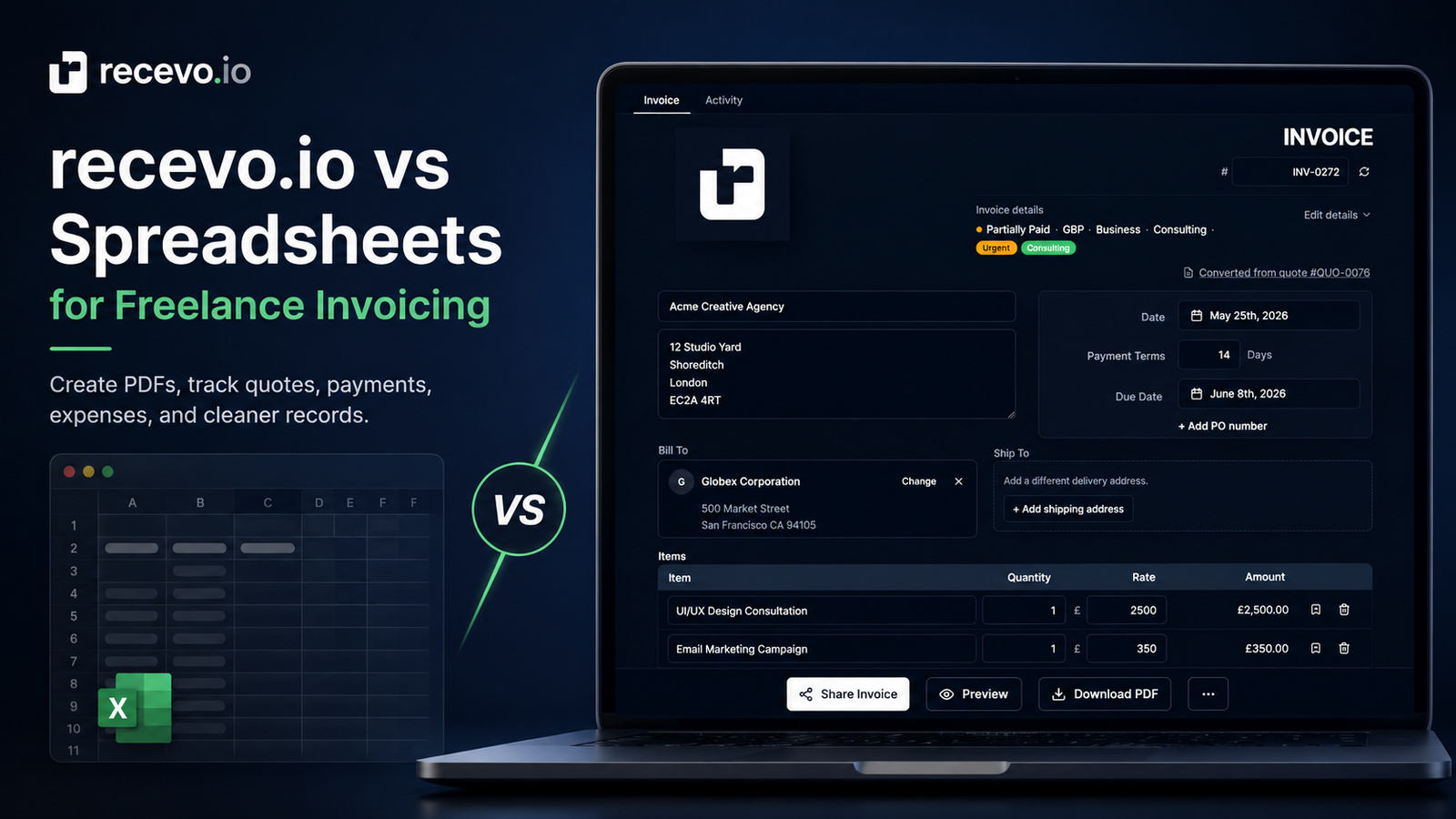
Spreadsheets are often the first invoicing system freelancers use.
That makes sense. They are familiar, flexible, and easy to start with. You can create a simple invoice template, add line items, total up the amount, export a PDF, and send it to a client.
For occasional work, that might be enough.
But as soon as you send invoices more regularly, spreadsheets can start to feel like a workaround. You have to manage invoice numbers, duplicate templates, remember payment status, keep copies of PDFs, track expenses somewhere else, and make sure your records are tidy when your accountant asks for them.
That is where recevo.io is different.
recevo.io is private, no-signup invoicing for independent workers. It gives freelancers, sole traders, and small independent businesses a proper quote and invoice workflow in the browser, without making them create an account or move their normal workspace into a central cloud invoice database.
This article compares recevo.io with spreadsheets for freelance invoicing, so you can decide which approach fits your workflow.
Spreadsheets are a good starting point
Spreadsheets are popular because they are simple and adaptable.
You can build your own invoice layout. You can create your own columns. You can add formulas. You can keep a separate sheet for clients, payments, expenses, or yearly totals.
For a brand-new freelancer, that flexibility can be useful.
A spreadsheet might work well if you only send a few invoices a year, already have a template you like, and do not need much beyond a basic record of what you sent.
There is also something reassuring about owning the file. You can save it wherever you like, copy it, back it up, and open it without committing to a full business finance platform.
That is a real advantage.
The problem is that invoicing is not just a grid of numbers.
Where spreadsheet invoicing starts to get messy
The more invoices you send, the more manual admin appears.
You may need to:
- keep invoice numbers consistent
- duplicate old invoices without accidentally overwriting them
- export and store PDFs
- remember which invoices are drafts, sent, paid, overdue, refunded, or partly paid
- track client details without retyping them
- create quotes before invoices
- convert accepted quotes into invoices
- record expenses and receipts
- prepare cleaner records for your accountant
You can do many of these things in a spreadsheet.
But you have to design and maintain the system yourself.
That means every improvement becomes another tab, formula, folder, template, naming convention, or manual habit. Over time, the spreadsheet stops being a lightweight tool and becomes a small admin project.
recevo.io is built around the invoicing workflow
recevo.io starts with the job freelancers actually need to do: create, send, and track invoices.
Instead of building your own invoice system from scratch, you open the app and start invoicing — no account required.
You can create professional invoices with customer details, line items, tax, discounts, shipping, notes, payment terms, invoice numbering, statuses, PDF export, encrypted sharing, payment tracking, private notes, locking, cloning, and an audit trail.
That means the common invoicing workflow is already built in.
You are not forcing a spreadsheet to behave like an invoicing app. You are using an invoicing app that still keeps the lightweight, independent feel many freelancers like about spreadsheets.
Professional PDFs without maintaining a template
A spreadsheet invoice can look good, but keeping it looking good takes effort.
Columns move. Page breaks shift. A longer line item can push the layout out of shape. A logo may not align properly after export. Different devices and apps can render the same spreadsheet differently.
With recevo.io, PDF export is part of the product.
You can create branded invoice PDFs using built-in templates, add your logo, set an accent colour, and keep your documents consistent. You do not need to maintain a fragile spreadsheet layout or check every page break before sending.
That matters because your invoice is part of your client experience.
A clean, professional PDF makes it easier for the client to understand what they owe, when it is due, and how to pay.
Quotes and invoices belong together
Many freelancers do not start with an invoice. They start with a quote or estimate.
A client asks for a price. You send a quote. The client accepts. Then you turn that accepted work into an invoice.
In a spreadsheet, that often means keeping separate quote and invoice templates, copying details between files, and remembering which quotes turned into paid work.
recevo.io includes quotes and estimates alongside invoices.
You can create a quote with scope of work, timelines, deliverables, validity dates, line items, tax, discounts, PDF export, and encrypted sharing. When the quote is accepted, you can convert it into an invoice with one click.
That creates a cleaner workflow:
Quote it. Invoice it. Get paid.
Payment tracking is easier outside a spreadsheet
A spreadsheet can show whether an invoice is paid, but you usually have to decide how detailed you want the tracking to be.
Do you add a paid column? A payment date? A payment method? What about partial payments? Refunds? Notes? Balance due?
recevo.io is designed for that.
You can record payments and refunds against invoices, including method, date, and notes. The invoice balance updates as transactions are added, so your records stay clearer without adding more spreadsheet formulas.
That is especially useful when a client pays in stages, pays late, or needs a payment record later.
Expenses should not live in a forgotten side sheet
Freelance invoicing is mostly about money coming in.
But useful records also include money going out.
Many freelancers start with one invoice spreadsheet and then create a separate expense sheet later. Receipts may end up in a folder, inbox, phone gallery, or cloud drive. By the time year-end comes around, matching everything together can be painful.
recevo.io includes expense tracking as useful depth under the invoicing workflow.
You can record expenses, attach receipts, use payees, add categories and labels, link expenses to customers when useful, and review dashboard reporting. Expense categories and tax classifications are preparation aids only, not tax advice, but they can help you keep records tidier before speaking to your accountant.
The key benefit is that invoices and expenses sit closer together.
You do not need to jump between a spreadsheet, a PDF folder, a receipt folder, and a separate profit calculation just to understand what happened.
Cleaner accountant handoff
Spreadsheets can work well for accountant handoff if they are maintained carefully.
The challenge is consistency.
Your accountant may need invoice PDFs, expense records, receipt attachments, invoice CSVs, expense CSVs, category data, and tax classification information. If those records are spread across multiple files and folders, you may need to spend time cleaning them up before sending anything over.
recevo.io can export accountant-ready records, including invoice PDFs, expense attachments, CSVs, category data, and tax classification information.
It does not replace your accountant. It does not file tax returns. It does not turn recevo.io into accounting software.
It simply helps you hand over cleaner records.
For freelancers and sole traders, that can make a big difference when admin time matters.
Privacy and ownership: spreadsheet-like control, invoicing-app workflow
One reason freelancers like spreadsheets is control.
The file is yours. You choose where it lives. You are not necessarily putting your business data into a large cloud platform.
recevo.io takes a similar ownership idea, but applies it to a proper invoicing workflow.
Your normal recevo.io workspace lives in your browser. It is not stored in a central recevo.io invoice database. That is a deliberate privacy choice.
This means you can create invoices, quotes, expenses, and records without creating an account, email address, password, trial, or subscription.
It also means there is an important trade-off.
If browser data is cleared, your local workspace can be lost unless you have a backup.
That is why recevo.io supports manual JSON Backup & Restore. Backup files are plain JSON for portability and transparency, so they may contain sensitive business data and should be stored securely.
recevo.io also offers optional Encrypted Cloud Backup as an off-device safety net. It is opt-in, off by default, and designed so backups are encrypted in the browser before upload. It is not real-time cloud sync, and it is not team collaboration.
For many independent workers, this is a sensible balance: the convenience of an invoicing app, with a stronger sense of data ownership than traditional cloud-first tools.
CSV import helps if you already use spreadsheets
Switching away from spreadsheets can feel risky if you already have records.
recevo.io supports CSV import for invoices, quotes, expenses, customers, and payees. Parsing happens in the browser, so you can bring data from spreadsheets or previous tools without uploading the CSV to a central import service.
That makes recevo.io a practical next step rather than a hard reset.
You can start with your existing records, then use recevo.io for a cleaner invoice, quote, expense, and export workflow going forward.
When a spreadsheet is still enough
A spreadsheet may still be enough if your invoicing is very occasional, your clients are simple, and you are happy managing your own templates and records.
There is nothing wrong with that.
A spreadsheet is flexible, portable, and familiar. For some freelancers, especially at the very beginning, it may be the quickest option.
But if invoicing is becoming a regular part of your work, the hidden cost is usually time.
Time spent checking formulas. Time spent exporting PDFs. Time spent copying client details. Time spent finding receipts. Time spent preparing records. Time spent fixing small mistakes that a dedicated invoicing workflow can avoid.
That is when recevo.io starts to make sense.
When recevo.io is the better fit
recevo.io is likely to be a better fit if you want to:
- create professional invoice PDFs without maintaining a spreadsheet template
- send quotes and convert them into invoices
- track payment status and payment records
- record expenses and attach receipts
- keep customer and payee details organised
- review income, expenses, and profit visibility in one place
- export cleaner records for your accountant
- use a private, browser-based invoicing app without signing up
It is built for independent workers who want less admin around invoicing, not a heavy accounting platform.
You still stay in control. You still need to back up your workspace. You still decide how to store your records.
But you get a tool designed around the actual workflow of freelance invoicing.
Frequently asked questions
Is recevo.io better than a spreadsheet for invoices?
For regular freelance invoicing, recevo.io is usually more practical than a spreadsheet because it includes invoice creation, PDF export, quote-to-invoice conversion, payment tracking, expenses, receipts, and accountant-ready exports in one browser-based workflow.
A spreadsheet can still work for very simple or occasional invoicing.
Can I import spreadsheet data into recevo.io?
Yes. recevo.io supports CSV import for invoices, quotes, expenses, customers, and payees. The parsing happens in your browser, so you can bring in spreadsheet data without uploading the CSV to a central import service.
Does recevo.io replace accounting software?
No. recevo.io is an invoicing-first tool for independent workers. It includes useful expense, P&L, category, tax classification, and export features, but it is not accounting software, tax filing software, payroll software, or a replacement for your accountant.
Is recevo.io private?
Yes. recevo.io is browser-based and does not require an account. Your normal workspace is not stored in a central recevo.io invoice database. Because the workspace lives in your browser, you should use Backup & Restore and store backup files securely.
What happens if I clear my browser data?
If you clear browser data for recevo.io, your local workspace can be lost unless you have a backup. Manual JSON Backup & Restore helps you protect and move your data. Optional Encrypted Cloud Backup can also provide an off-device safety net, but it is not real-time sync.
Can I use recevo.io without signing up?
Yes. recevo.io lets you open the app and start invoicing without creating an account, email address, password, trial, or subscription.
Try private, no-signup invoicing
Spreadsheets are useful. But your freelance invoicing workflow can be cleaner, faster, and easier to manage.
Create your first invoice here:
No signup. No subscription. No invoice limits. Just private, browser-based invoicing for independent workers.
Unlimited invoices, quotes & expenses · Free forever
Send your next invoice from recevo.io, and every one after it, free
Create the invoice, download a branded PDF or share a secure read-only link, then record the payment when it lands. Free forever, no account needed.
Free forever · No account · No card · No watermark · Opens in a new tab
Unlike most free invoice tools:
- Unlimited invoices and quotes
- Branded PDFs with no watermark
- Works offline in your browser
- Your data never leaves your device
- Expenses and profit tracking included
- No account, no card, no premium tier

“I set up my branding once - now everything I send looks professional.”