
Why Use recevo.io Instead of Other Invoice Generators?
Most invoice generators help you create a PDF. recevo.io goes further: it lets freelancers, sole traders, and independent workers create invoices and quotes without signing up, store business data locally in the browser, work offline, export branded PDFs, track expenses, and keep records ready for year-end - all for free.
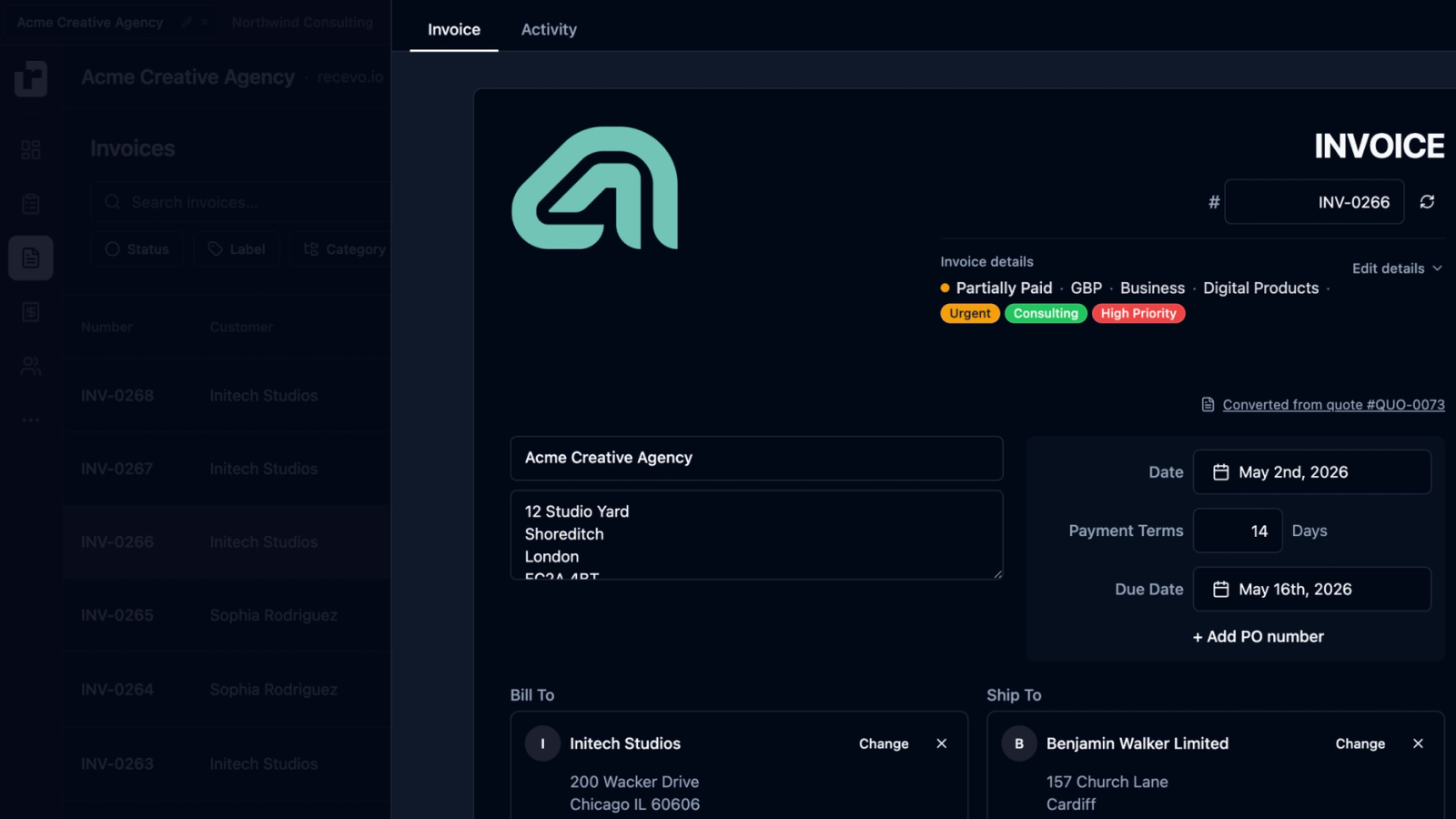
Search for a free invoice generator and you will find plenty of tools that promise a quick PDF.
Some are useful. Some are simple. Some are free until you need the feature that actually matters.
But many invoice generators have the same problem: they treat invoicing as either a basic template or a gateway into another cloud account, subscription, or accounting platform.
recevo.io was built differently.
It is a free, no-signup invoice generator for freelancers, sole traders, and independent workers. You can create professional invoices and quotes, export PDFs, track payments, record expenses, and review your business numbers without creating an account or storing your invoice data in a central cloud database.
If you just need to send a clean invoice and get paid, recevo.io keeps that simple. If you need a little more structure, it gives you room to grow.
Here is what makes it different from a typical online invoice generator.
1. No signup means you can start invoicing immediately
Many invoice generators say they are quick, but then ask you to create an account before you can save, download, customise, or send your invoice.
recevo.io removes that step.
There is no email address, password, trial period, onboarding wall, or workspace setup. Open the app and start creating your first invoice.
That matters when you are a freelancer or sole trader trying to bill a client quickly. You should not have to create another SaaS account just to send a PDF.
With recevo.io, your workspace is created in your browser, so the first experience is simple:
open the app, add your details, create the invoice, export or share it.
2. It is free without pushing you into a premium tier
A lot of free invoice tools are only partly free.
You may be able to create one invoice, but then hit limits on PDF downloads, branding, invoice numbers, templates, clients, or monthly usage. Other tools reserve useful features for paid plans.
recevo.io is designed to be free for independent workers.
You can create invoices and quotes, export PDFs, track payments, use branded templates, manage customers, record expenses, and back up your data without upgrading to a paid account.
There is no premium invoice limit hiding behind the workflow.
3. Your invoice data stays in your browser
This is one of the biggest differences.
Most online invoice generators are cloud tools. That usually means your invoices, customers, line items, totals, and business records are stored in the provider’s database.
recevo.io uses a browser-first model instead.
Your workspace lives in your browser’s local storage. recevo.io does not keep a central invoice database containing your business records. Sensitive local data is encrypted at rest, and shared invoice or quote links are encrypted before leaving your browser.
For privacy-conscious freelancers, this matters. Your invoices can contain client names, addresses, project descriptions, rates, payment details, and revenue information. That is business data, and you may not want it sitting in another company’s cloud account just because you needed an invoice PDF.
recevo.io gives you a different option: your invoices, your browser, your business.
4. It works offline as an installable invoice app
A normal online invoice generator often depends on an internet connection. If you are on-site, travelling, using poor Wi-Fi, or working somewhere with patchy signal, that can be frustrating.
recevo.io is a Progressive Web App.
Once loaded, it can be installed on your device and used offline. You can create, edit, manage, and export invoices without needing a live connection.
That makes it useful for tradespeople, consultants, mobile workers, and anyone who needs to create estimates or invoices away from a desk.
You get the convenience of an online invoice builder without being completely dependent on being online.
5. It handles quotes as well as invoices
Many invoice generators only focus on the final invoice.
But for a lot of independent workers, the real workflow starts earlier:
quote the work, agree the scope, then invoice when the job is accepted or completed.
recevo.io includes a quote and estimate builder alongside invoices. You can create professional quotes with scope of work, timelines, deliverables, line items, tax, discounts, notes, and validity dates.
When a client accepts the quote, you can convert it into an invoice in one click.
That saves time and reduces mistakes. You do not need to retype the same details into a separate invoice template.
6. It is more capable than a basic invoice template
A simple invoice template can be enough for a one-off job.
But once you invoice regularly, you usually need more than a blank PDF form.
recevo.io gives you a proper invoicing workflow.
You can manage customers, reuse line items, customise invoice numbers, add tax and discounts, record payments and refunds, mark invoices as paid, duplicate previous invoices, and keep private notes that are not shown to clients.
You can also export branded PDF invoices with your logo, accent colour, footer, and preferred template.
So while recevo.io stays simple, it is not just a static invoice template. It is a lightweight workspace for managing the practical parts of getting paid.
7. Expenses and P&L are built in
Most invoice generators stop at the invoice.
That is fine if all you need is a PDF, but independent workers often need to answer a bigger question:
am I actually making money?
recevo.io includes expense tracking, receipt attachments, categories, tax classification, and a live profit and loss dashboard.
That means you can track money coming in through invoices and money going out through expenses in the same workspace. You can see net profit, review expense categories, and keep records cleaner throughout the year.
This does not turn recevo.io into a heavy accounting platform. It simply gives freelancers and sole traders useful financial visibility without forcing them into full accounting software.
8. It helps with year-end records
Invoicing is not only about sending documents to clients.
At some point, you may need to send records to your accountant, prepare for tax season, or review what happened across the year.
recevo.io includes export tools designed for that handoff. You can keep invoices, expenses, categories, payment details, and related records organised, then export data when needed.
For independent workers, this can be the difference between a messy folder of PDFs and a cleaner set of records.
9. It gives you more than a typical invoice generator
Most invoice generators help you create a PDF. recevo.io is designed to be a more complete invoicing workspace for independent workers, while still staying simple and free.
With recevo.io, you get no signup required, so you can open the app and start creating an invoice without entering an email address or creating an account.
You get free PDF invoice export, so you can create and download professional invoices without hitting a premium download limit.
You get quotes and estimates, so you can price work before it starts, then convert accepted quotes into invoices with one click.
You get browser-first local data, so your workspace lives in your browser rather than a central cloud invoice database.
You get offline support, so you can install recevo.io as a Progressive Web App and keep working even without an internet connection once the app has loaded.
You get branded PDF templates, so you can add your logo, choose a template, set an accent colour, and create invoices that look professional.
You get expense tracking, so you can record business expenses alongside your invoices and keep income and costs in one place.
You get a live P&L dashboard, so you can see money in, money out, net profit, expense categories, and useful business totals at a glance.
You get accountant-ready exports, so you can keep cleaner records throughout the year and export useful files when it is time to hand things over.
And you get an honest trade-off: no automatic cloud sync.
recevo.io does not include team accounts or automatic cloud sync. That is deliberate. Your data stays local, and you use Backup & Restore when you want to move or protect your workspace.
10. It is honest about the trade-off
recevo.io is not trying to be everything.
Because your workspace lives in your browser, there is no automatic cloud sync. If you want to use recevo.io across multiple devices, you need to use Backup & Restore manually. If you clear your browser data without a backup, your local workspace can be deleted.
That is an intentional trade-off.
Cloud sync is convenient, but it requires storing your business data in a cloud database. recevo.io chooses a different model: local ownership, privacy, and portability through backups.
If you need team access, bank feeds, payroll, or full accounting workflows, recevo.io is probably not the right tool.
If you want a private, no-signup invoice generator that works offline and gives you more structure than a basic template, it may be exactly what you need.
Who should use recevo.io?
recevo.io is built for independent workers who want simple, professional invoicing without another account or subscription.
It is a good fit for freelancers, sole traders, consultants, designers, developers, writers, tutors, photographers, tradespeople, coaches, side hustlers, and privacy-conscious professionals.
It is especially useful if you want to create invoices quickly, send quotes before work begins, export professional PDFs, keep client and invoice data local, and avoid paying monthly for software you only use when billing clients.
Start with a free invoice
The easiest way to compare invoice generators is to create a real invoice.
With recevo.io, you do not need to sign up first.
Create your first invoice here:
No account. No subscription. No invoice limits. Just private, browser-based invoicing for independent workers.
Unlimited invoices, quotes & expenses · Free forever
Send your next invoice from recevo.io, and every one after it, free
Create the invoice, download a branded PDF or share a secure read-only link, then record the payment when it lands. Free forever, no account needed.
Free forever · No account · No card · No watermark · Opens in a new tab
Unlike most free invoice tools:
- Unlimited invoices and quotes
- Branded PDFs with no watermark
- Works offline in your browser
- Your data never leaves your device
- Expenses and profit tracking included
- No account, no card, no premium tier

“I set up my branding once - now everything I send looks professional.”