
Invoice Description Examples for Freelancers
Not sure what to write in an invoice description? Here are practical invoice line item examples freelancers can use to describe work clearly and get paid with less confusion.
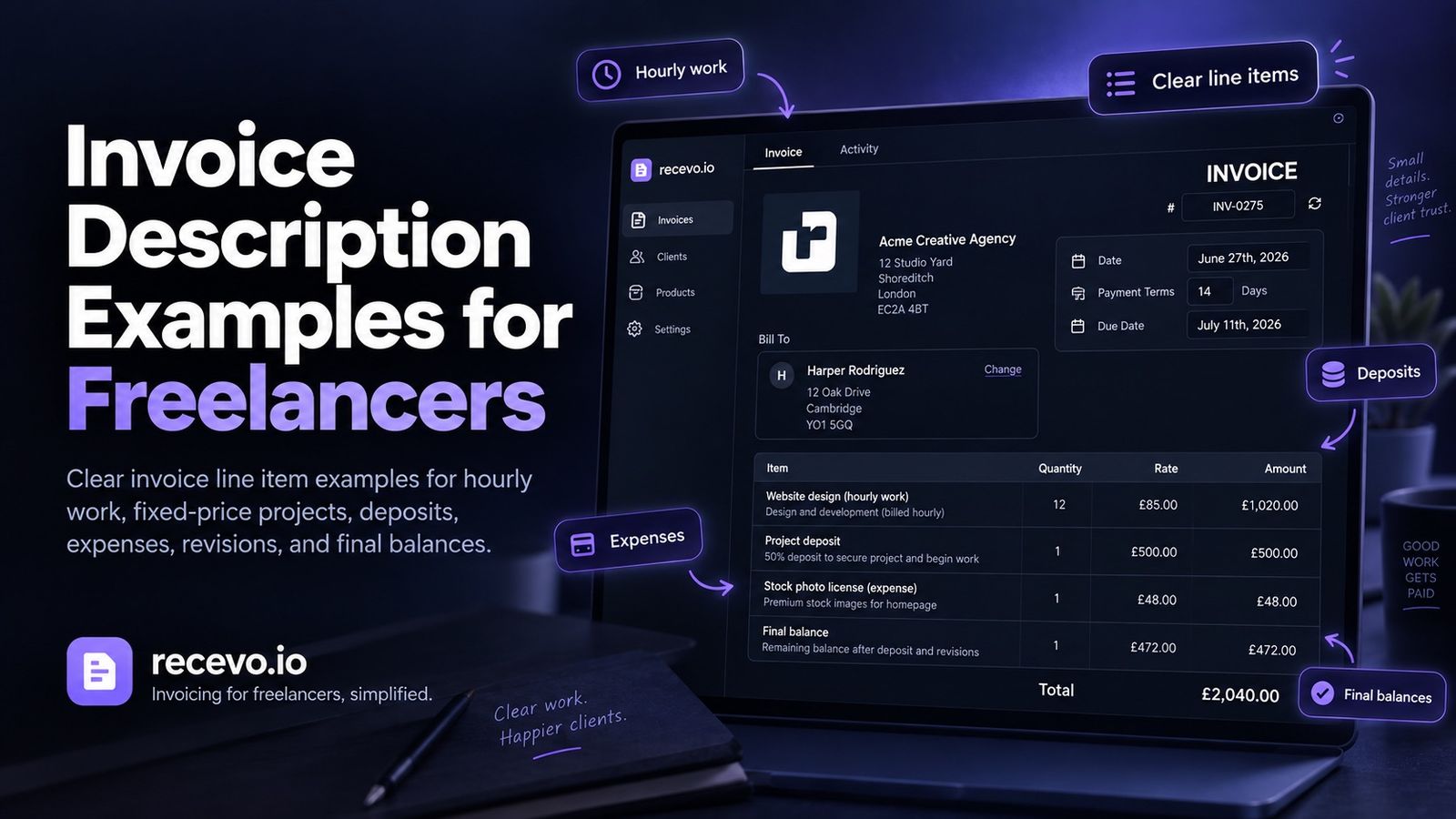
Writing an invoice sounds simple until you reach the description field.
You know what work you did.
The client knows what they asked for.
But the invoice still needs to explain it clearly.
A vague invoice description can create confusion, delay payment, or lead to unnecessary back-and-forth. A clear description helps the client understand what they are paying for, match the invoice to the project, and process payment faster.
For freelancers, sole traders, consultants, creatives, tradespeople, and independent workers, invoice descriptions do not need to be complicated.
They just need to be specific enough to make sense later.
This guide gives practical invoice description examples for hourly work, fixed-price projects, deposits, final balances, expenses, revisions, consulting, design, writing, development, trades, and creative services.
It also explains how recevo.io can help you create clear invoice line items, export professional PDFs, and keep your invoicing workflow organised in your browser.
What is an invoice description?
An invoice description explains what the client is being charged for.
It usually appears as a line item on the invoice.
For example:
“Website homepage copywriting”
or:
“4 hours of consulting support”
or:
“50% deposit for brand identity project”
A good invoice description helps the client understand the charge without needing to search through emails, messages, or project notes.
It also helps you later when you review records, track payments, or hand information to your accountant.
Invoice description vs line item
People often use “invoice description” and “line item” to mean similar things, but there is a small difference.
A line item is the row on the invoice.
It may include:
- description
- quantity
- unit price
- tax
- discount
- total
The description is the wording inside that line item.
For example, on an invoice line item:
Description: “Logo design concept development”
Quantity: 1
Unit price: £450
Total: £450
The description tells the client what the charge is for.
The rest of the line item explains how the amount is calculated.
Why clear invoice descriptions matter
Clear invoice descriptions make payment easier.
They help clients understand:
- what work was completed
- what project the invoice relates to
- what time period is being billed
- whether the invoice is for a deposit, milestone, final balance, or extra work
- whether any expenses are included
- whether the charge matches the quote or agreement
This matters even more when the invoice goes to someone other than your main contact.
Your client contact may understand the work perfectly, but their finance team may only see the invoice.
A clear description reduces the chance of the invoice being delayed because someone needs more context.
What should an invoice description include?
A good invoice description usually includes some combination of:
- the service provided
- the project name
- the time period
- the stage of work
- the quantity or hours
- the deliverable
- the client reference or purchase order, if relevant
- whether it is a deposit, milestone, final balance, or extra charge
You do not need to include everything every time.
The goal is to make the invoice understandable.
For example, this is too vague:
“Work”
This is better:
“Copywriting for homepage and services page”
This is better again:
“Homepage and services page copywriting for website refresh project”
The right level of detail depends on the client and the work.
Simple invoice description formula
A useful formula is:
Service + project/context + period/stage
For example:
“Design support for August social media campaign”
or:
“Website maintenance for 1–31 August 2026”
or:
“Final balance for approved brand identity project”
This structure keeps the description short but useful.
Invoice description examples for hourly work
Hourly work should usually include the type of work and the number of hours.
Examples:
“Consulting support — 4 hours”
“Design amendments — 3.5 hours”
“Development support — 6 hours”
“Admin and project coordination — 2 hours”
“Client training session — 1.5 hours”
“On-site installation support — 5 hours”
“Copywriting revisions — 2 hours”
If helpful, include the date or period:
“Consulting support, 4 hours, 12 August 2026”
“Development support, 6 hours, week ending 16 August 2026”
“Design amendments, 3.5 hours, August 2026”
Use hourly descriptions when the client is paying for time rather than a fixed deliverable.
Invoice description examples for fixed-price projects
Fixed-price work should focus on the deliverable or project outcome.
Examples:
“Website homepage design”
“Brand identity design package”
“Product photography session”
“Landing page copywriting”
“Bathroom installation project”
“SEO audit and recommendations report”
“Training workshop preparation and delivery”
“Five-page brochure website build”
“Social media content package”
“Business process review and summary report”
For larger projects, you may want more detail:
“Design and build of five-page brochure website”
“Brand identity package including logo, colour palette, and typography”
“SEO audit covering technical issues, content structure, and priority recommendations”
The description should match what was agreed in the quote or proposal.
Invoice description examples for deposits
Deposit invoices should make it clear that the payment is not the full project balance.
Examples:
“50% deposit for website design project”
“30% upfront payment for brand identity package”
“Deposit to confirm project start date”
“Initial deposit for consulting engagement”
“Booking fee for photography session”
“Materials deposit for installation project”
“First-stage payment for approved quote”
You can also include the remaining balance structure:
“50% deposit for website design project. Remaining balance due on completion.”
“30% deposit for brand identity project. Final balance to be invoiced after delivery.”
This helps the client understand what they are paying now and what will come later.
Invoice description examples for final balances
Final balance invoices should reference the project and make it clear that a deposit or earlier payment has already been made.
Examples:
“Final balance for website design project”
“Remaining 50% balance for brand identity package”
“Final payment for completed consulting engagement”
“Completion payment for approved quote”
“Remaining balance after deposit for product photography session”
“Final invoice for installation project”
If the client has already paid a deposit, make sure the invoice clearly reflects the remaining amount due.
recevo.io lets you create invoices with clear line items and record payments manually, helping you keep track of deposits, balances, payments, and refunds.
Invoice description examples for milestone payments
Milestone payments are useful for larger projects with clear stages.
Examples:
“Milestone 1: project planning and discovery”
“Milestone 2: first design concepts”
“Milestone 3: development build”
“Milestone 4: final testing and handover”
“Stage 1 payment for approved quote”
“Stage 2 payment following first delivery”
“Final milestone payment on project completion”
Milestone descriptions should match the payment structure agreed with the client.
If the quote says there will be three stages, the invoice should use wording that makes the stage obvious.
Invoice description examples for expenses
Expenses should be described clearly, especially if the client is reimbursing them.
Examples:
“Train travel for client workshop”
“Materials for bathroom installation project”
“Courier delivery of product samples”
“Printing costs for event handouts”
“Stock photography licence for campaign landing page”
“Domain registration for client website”
“Accommodation for agreed on-site work”
“Postage for client documents”
Avoid vague descriptions like:
“Expenses”
“Extras”
“Other costs”
“Miscellaneous”
If the client is paying for an expense, they should be able to understand what it was.
Invoice description examples for reimbursable client costs
Reimbursable costs should make the client/project connection clear.
Examples:
“Client-approved travel expenses for Manchester workshop”
“Reimbursable materials for Jones project”
“Approved courier costs for product samples”
“Project-specific software licence agreed by client”
“Printing and production costs for client event”
“Pre-approved accommodation for on-site consultancy”
It can also help to include a note such as:
“Receipts available on request.”
or:
“Receipt attached separately.”
Whether you share receipts depends on your agreement with the client, but you should keep them for your own records.
recevo.io helps you record expenses and attach receipts, but it does not automatically decide which expenses should be charged to a client. You stay in control of what gets added to the invoice.
Invoice description examples for revisions and extra work
Extra work should be described carefully so the client understands why it is being charged separately.
Examples:
“Additional design revisions beyond agreed scope”
“Extra copywriting amendments requested after approval”
“Additional development work for new feature request”
“Extra consulting session outside original agreement”
“Additional site visit requested by client”
“Urgent turnaround surcharge agreed on 12 August 2026”
“Additional project changes approved by email”
The key is to connect the charge to the agreement.
If the extra work was approved by email, message, call, or change request, mention that clearly where appropriate.
Invoice description examples for consulting
Consulting invoices should usually describe the type of support, period, or deliverable.
Examples:
“Business consulting session — 2 hours”
“Strategy workshop preparation and delivery”
“Operations review and recommendations”
“Project advisory support for August 2026”
“Client discovery session and summary notes”
“Process review and improvement plan”
“Implementation support for agreed project”
“Follow-up consulting call and action summary”
If the work is ongoing, include the billing period:
“Consulting support for 1–31 August 2026”
This helps the client match the invoice to the correct period.
Invoice description examples for designers
Design work often benefits from deliverable-based descriptions.
Examples:
“Logo design concept development”
“Brand identity design package”
“Business card design”
“Social media graphics pack”
“Landing page visual design”
“Presentation deck design”
“Packaging design concept”
“Design revisions following client feedback”
“Final artwork preparation”
For larger projects, add project context:
“Brand identity design for new product launch”
“Landing page design for September campaign”
“Social media graphics for August content calendar”
Invoice description examples for writers and copywriters
Writing invoices should describe the content produced.
Examples:
“Homepage copywriting”
“About page copywriting”
“Blog post writing — 1,200 words”
“Email newsletter copy”
“Product description writing”
“Case study interview and writing”
“Website copy edits and revisions”
“Content strategy session”
“SEO article writing for August 2026”
For packages, you can write:
“Monthly content package: 4 blog posts and 2 email newsletters”
This is fine as a manually created invoice description, but it should not imply that recevo.io automatically creates recurring invoices.
Invoice description examples for developers
Development invoices should be specific enough that the client understands the work.
Examples:
“Website bug fixes and maintenance”
“Landing page development”
“Checkout integration support”
“CMS template updates”
“Performance improvements”
“API integration work”
“Feature development for client dashboard”
“Website deployment support”
“Development support — 6 hours”
For project work:
“Build of five-page brochure website”
“Development of booking form and confirmation flow”
“Frontend implementation for approved design”
Invoice description examples for photographers and creatives
Creative work should describe the session, deliverables, or licence where relevant.
Examples:
“Product photography session”
“Portrait photography shoot”
“Image editing and retouching”
“Event photography coverage”
“Final edited image gallery”
“Creative direction and shoot planning”
“Usage licence for selected images”
“Video editing for campaign assets”
“Illustration concept and final artwork”
If usage rights, licences, or deliverables matter, make sure the description and wider agreement are clear.
Invoice description examples for trades and practical services
Tradespeople and hands-on service providers should describe the job clearly.
Examples:
“Bathroom repair and replacement parts”
“On-site inspection and diagnosis”
“Installation labour”
“Materials for kitchen repair”
“Electrical fitting replacement”
“Garden maintenance visit”
“Painting and decorating work”
“Emergency call-out”
“Final balance for completed installation”
For materials and labour, you may want separate line items:
“Labour for installation work”
“Materials for installation work”
That helps the client understand how the total is made up.
Invoice description examples for training and workshops
Training and workshop invoices should include the session type, date, and deliverable if relevant.
Examples:
“Team training workshop — 12 August 2026”
“Workshop preparation and delivery”
“Half-day client training session”
“Follow-up notes and resources”
“Online training session — 2 hours”
“Facilitation for planning workshop”
“Training materials preparation”
“On-site workshop delivery and travel”
Dates are useful here because training is often tied to a specific event.
Invoice description examples for project management
Project management work should describe the service and time period.
Examples:
“Project management support for August 2026”
“Weekly project coordination and reporting”
“Client meetings and delivery coordination”
“Project planning and timeline management”
“Supplier coordination for launch project”
“Delivery management for website build”
“Project handover documentation”
If billing hourly, include the hours:
“Project coordination — 5 hours”
Invoice description examples for retainers or monthly work
Some freelancers invoice the same client for regular monthly work.
Because regular invoicing is a workflow many people handle manually, keep the description clear and period-specific.
Examples:
“Monthly marketing support for August 2026”
“Design support for 1–31 August 2026”
“Website maintenance for August 2026”
“Content support for September 2026”
“Monthly consulting support — August 2026”
“Social media management for August 2026”
These are examples of manual invoice wording. They do not mean recevo.io automatically creates or sends recurring invoices.
How detailed should an invoice description be?
An invoice description should be detailed enough to avoid confusion, but not so long that the invoice becomes hard to read.
For simple work, a short description is fine:
“Logo design”
For more specific work, add context:
“Logo design for new café brand”
For project stages, be clearer:
“Milestone 2: first logo concepts and visual direction”
For extra work, explain why it is extra:
“Additional design revisions beyond agreed scope”
Ask yourself:
Would the client understand this invoice without reading the whole email thread?
If the answer is no, add a little more detail.
Should invoice descriptions match the quote?
Yes.
Where possible, invoice descriptions should match the quote, estimate, proposal, or agreement.
If the quote says:
“Website design and build — five pages”
the invoice should not say:
“Web work”
Matching the quote makes the invoice easier to approve and process.
recevo.io supports quotes and estimates as well as invoices, so accepted quotes can be converted into invoices without rebuilding everything manually.
Should you include dates in invoice descriptions?
Dates are useful when the work relates to a specific day, week, month, or event.
Use dates for:
- hourly work
- consulting sessions
- monthly support
- workshops
- travel
- on-site work
- retainers handled manually
- project periods
- event work
Examples:
“Consulting support — 12 August 2026”
“Website maintenance for August 2026”
“Training workshop delivered on 14 August 2026”
Dates help clients match the invoice to the work.
Should you include hours in invoice descriptions?
Include hours when the client is paying by the hour or when hours help explain the charge.
Examples:
“Copywriting support — 3 hours”
“Development work — 6.5 hours”
“Consulting call and follow-up notes — 2 hours”
If the client is paying a fixed price, you may not need to show hours.
For example:
“Brand identity design package — fixed project fee”
The invoice should reflect the pricing model you agreed.
Should you include project names or references?
Yes, when they help.
Project names, purchase orders, client references, or job numbers can make invoices easier to process.
Examples:
“Design work for Project Phoenix”
“Consulting support for Q3 planning project”
“Materials for Jones installation”
“Work completed under PO-12345”
“Final balance for approved quote QUO-0041”
If a client gives you a purchase order number, include it where they ask you to. Missing reference details can delay payment.
Common invoice description mistakes
Being too vague
Descriptions like “work”, “services”, “project”, or “misc” are often too unclear.
They may make sense to you now, but they may not make sense later.
Writing too much
An invoice description should not become a full project report.
Keep it clear and focused.
Use notes, email, or project documents for longer explanations.
Hiding extra work
If something is outside the original scope, describe it clearly.
Do not hide extra work inside a vague line item.
Forgetting the time period
For monthly or hourly work, the period matters.
“Consulting support” is less useful than:
“Consulting support for August 2026”
Not matching the quote
If the invoice does not match the quote, the client may question it.
Keep the wording consistent where possible.
Mixing expenses into vague totals
If the client is reimbursing expenses, describe them clearly.
“Travel to client workshop” is better than “extras”.
How recevo.io helps with invoice descriptions
recevo.io is private, no-signup invoicing for independent workers.
It helps you create professional invoices and quotes in your browser without creating an account.
With recevo.io, you can create invoices with:
- customer details
- invoice numbers
- issue dates
- due dates
- line items
- quantities
- unit prices
- tax, discounts, and shipping
- notes
- payment terms
- PDF export
- encrypted sharing
- payment and refund records
- private notes
- locking
- cloning
- activity history
Clear line items are part of a better invoicing workflow.
Instead of sending a vague request for payment, you can give the client a professional PDF that explains what was done, what is due, and how to pay.
Create quotes and convert them into invoices
Many invoice description problems start earlier in the workflow.
If the quote is vague, the invoice often becomes vague too.
With recevo.io, you can create quotes with scope, deliverables, timelines, line items, notes, and payment terms.
When the quote is accepted, you can convert it into an invoice.
That helps keep the wording consistent from quote to invoice and reduces manual copying.
Keep internal notes separate
Sometimes you need internal context that the client does not need to see.
For example:
- “Client approved extra work by email”
- “Ask accountant about classification”
- “Discount agreed after call”
- “Deposit already paid”
- “Use same wording as quote”
- “Do not send until final approval”
recevo.io supports private notes, so you can keep internal context separate from the invoice PDF or shared link.
That means your invoice can stay clean while your own records remain useful.
Does recevo.io write invoice descriptions for you?
No.
recevo.io gives you a structured place to write invoice descriptions, line items, notes, terms, and totals.
It does not automatically decide how to describe your work.
You choose the wording, check the details, and send the invoice.
That keeps you in control of how your work is presented to the client.
Your normal workspace lives in your browser
recevo.io is browser-based by design.
Your normal workspace lives in your browser, not in a central recevo.io invoice database.
That is a deliberate privacy and ownership choice.
It means you can create invoices, quotes, payment records, expenses, notes, and receipt records without handing your normal workspace to a central cloud database.
There is an important trade-off.
If browser data is cleared, your local workspace can be lost unless you have a backup.
recevo.io supports manual JSON Backup & Restore. Backup files are plain JSON for portability and transparency, so they may contain sensitive business data and should be stored securely.
Optional Encrypted Cloud Backup is also available as an off-device safety net. It is opt-in, off by default, and is not real-time cloud sync or team collaboration.
Is recevo.io accounting software?
No.
recevo.io is an invoicing-first tool for independent workers.
It includes useful depth around quotes, expenses, payment tracking, live P&L visibility, categories, tax classification, receipt attachments, and accountant-ready exports, but it is not accounting software, tax filing software, payroll software, or a replacement for your accountant.
The goal is simpler:
Create clear invoices. Describe the work properly. Send professional PDFs. Track what has been paid.
Frequently asked questions
What should I write in an invoice description?
Write a clear description of the work, product, service, project, time period, or payment stage.
For example:
“Website maintenance for August 2026”
or:
“50% deposit for brand identity project”
or:
“Consulting support — 4 hours”
How detailed should an invoice description be?
An invoice description should be detailed enough for the client to understand what they are paying for, but not so long that the invoice becomes hard to read.
Use project names, dates, hours, or stages where they help.
What is a good invoice description for freelance work?
A good freelance invoice description explains the service and context.
For example:
“Landing page copywriting for September campaign”
is clearer than:
“Writing work”
Should I include hours on an invoice?
Include hours if you are billing hourly or if the client needs to see how the amount was calculated.
For fixed-price work, a deliverable-based description may be enough.
Should invoice descriptions match the quote?
Yes, where possible.
Matching the quote helps the client understand that the invoice reflects the work they approved.
How should I describe a deposit on an invoice?
Make it clear that it is a deposit or upfront payment.
For example:
“50% deposit for website design project”
or:
“30% upfront payment for approved quote QUO-0041”
How should I describe expenses on an invoice?
Be specific.
For example:
“Train travel for client workshop”
or:
“Materials for bathroom installation project”
Avoid vague descriptions like “expenses” or “extras”.
Can recevo.io help with invoice line items?
Yes. recevo.io lets you create invoices with line items, quantities, prices, notes, terms, tax, discounts, totals, PDF export, and payment tracking.
You write and control the descriptions yourself.
Does recevo.io automatically create invoice descriptions?
No. recevo.io does not automatically write invoice descriptions for you.
It gives you a clear structure for creating invoices, but you choose the wording.
Do I need an account to use recevo.io?
No. Open the app and start invoicing — no account required.
recevo.io does not require an email address, password, trial, or subscription to use the core no-signup app.
Create clearer invoice descriptions
Clear invoice descriptions make your invoices easier to understand, easier to approve, and easier to pay.
Use specific wording.
Match the quote where possible.
Include dates, hours, stages, or project names when they help.
Avoid vague line items.
Keep internal notes separate from client-facing descriptions.
With recevo.io, you can create professional invoices, add clear line items, export PDFs, share invoices, record payments, and keep your invoicing workflow organised in your browser.
Start here:
No signup. No subscription. No invoice limits. Just private, browser-based invoicing for independent workers.
Unlimited invoices, quotes & expenses · Free forever
Send your next invoice from recevo.io, and every one after it, free
Create the invoice, download a branded PDF or share a secure read-only link, then record the payment when it lands. Free forever, no account needed.
Free forever · No account · No card · No watermark · Opens in a new tab
Unlike most free invoice tools:
- Unlimited invoices and quotes
- Branded PDFs with no watermark
- Works offline in your browser
- Your data never leaves your device
- Expenses and profit tracking included
- No account, no card, no premium tier

“I set up my branding once - now everything I send looks professional.”