
How to Track Business Expenses as a Freelancer
Freelance expenses are easy to lose track of when receipts, subscriptions, tools, travel, and supplies are scattered everywhere. Here’s a simple way to keep clearer records.
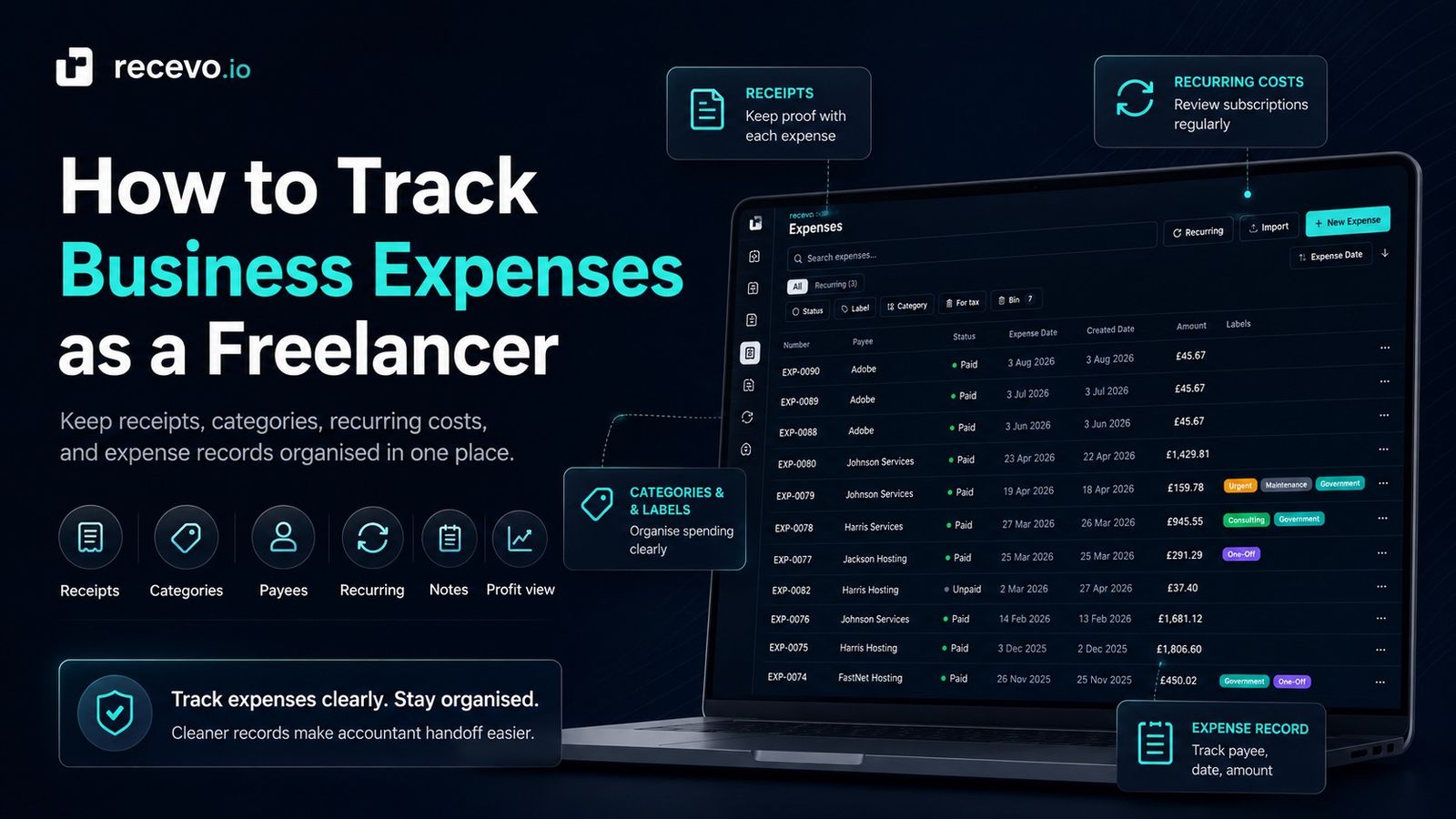
Freelance expenses are easy to forget.
You buy a software subscription.
You pay for a domain name.
You replace some equipment.
You take a train to meet a client.
You buy materials for a project.
You pay for insurance, hosting, tools, postage, or stationery.
Each expense may seem small on its own.
But over time, those costs affect your profit, your cash flow, and the quality of your records.
For freelancers, sole traders, consultants, tradespeople, creatives, and independent workers, tracking expenses does not need to mean using complicated accounting software.
But it does need a clear habit.
This guide explains how to track business expenses as a freelancer, what details to record, how to organise receipts, how to think about categories, and how recevo.io can help you keep invoice and expense records together in one private, browser-based workspace.
This is general business admin guidance, not tax or accounting advice. If you are unsure whether an expense is allowable, deductible, reportable, or relevant to your tax position, check official guidance or speak to an accountant.
Why expense tracking matters
When you freelance, income is only one side of the picture.
Invoices show what you earned.
Expenses show what it cost you to earn it.
If you only track invoices, you may know your revenue but not your real profit.
Expense tracking helps you:
- understand where your money is going
- keep receipts and records together
- prepare cleaner information for your accountant
- avoid relying on memory later
- separate business and personal spending
- spot recurring costs
- review subscriptions and tools
- understand profit before tax
- reduce last-minute admin
Even a simple expense record is better than a shoebox of receipts, random screenshots, and a bank statement panic at year-end.
Why freelancers lose track of expenses
Freelance expenses rarely arrive neatly.
They are scattered across different places.
You might have:
- email receipts
- paper receipts
- card payments
- PayPal payments
- bank transfers
- subscription invoices
- marketplace orders
- app store purchases
- domain renewals
- supplier invoices
- travel bookings
- screenshots
- recurring monthly charges
Some are obvious business costs.
Others are mixed, personal, occasional, or hard to classify.
The problem is not usually that freelancers do not care about expenses.
The problem is that expenses happen in the background while you are busy doing the work.
Without a tracking habit, they disappear into inboxes, wallets, downloads folders, and bank statements.
What counts as an expense record?
An expense record is a clear note of money you spent in relation to your work.
A useful expense record usually includes:
- date
- payee or supplier
- amount
- currency
- description
- category
- receipt or attachment
- payment method
- notes
- tax classification, if relevant
- whether it is business, personal, excluded, or uncertain
The goal is not to make every record complicated.
The goal is to capture enough information that future-you, or your accountant, can understand what happened.
For example, “£12.99” on its own is not very helpful.
But this is much better:
“£12.99, 4 July 2026, design software subscription, paid by card, monthly recurring expense, receipt attached.”
That gives the expense context.
Track expenses as soon as possible
The easiest time to record an expense is when it happens.
The second easiest time is during a regular weekly review.
The hardest time is months later when you are trying to remember what a vague card payment was for.
A simple habit can help:
When you buy something for your business, capture the receipt and record the expense before it disappears.
That might mean:
- downloading the PDF receipt
- saving the email receipt
- taking a photo of a paper receipt
- adding the payee
- adding the amount
- adding a category
- writing a short note
- attaching the receipt
You do not need to make perfect accounting decisions immediately.
But you should capture the record while the context is fresh.
Keep receipts with the expense
Receipts matter because they support the expense record.
If your receipts are separate from your expense list, you still have a problem.
For example, if your spreadsheet says you spent £89 on software but the receipt is buried somewhere in your inbox, you have only solved half the admin.
A better system keeps the record and evidence together.
That way, when you review the expense later, you can see what it was, when it happened, who it was paid to, how much it cost, and where the receipt is.
recevo.io lets you track expenses and attach receipt records in your browser, so your expense details and supporting files can sit closer together.
Use clear expense categories
Categories help you understand your spending.
They also make it easier to review records later.
Your categories do not need to be perfect at first.
Start with practical categories that match how you work.
Examples might include:
- software
- subscriptions
- office supplies
- equipment
- materials
- travel
- postage
- advertising
- insurance
- professional services
- training
- hosting
- phone and internet
- banking fees
- client costs
- other
The best categories are easy to apply consistently.
If your categories are too detailed, you may stop using them.
If they are too broad, they may not help much.
Do not rely on categories as tax advice
Categories are useful for organising your records.
But they are not the same as tax advice.
An expense category can help you group records, but it does not automatically decide whether something is allowable, non-allowable, personal, partly business-related, or relevant to your tax return.
That distinction matters.
recevo.io can help you organise expenses, labels, categories, and tax classification notes, but it does not decide what is tax-deductible for you.
If you are unsure, mark the expense clearly and ask your accountant.
A good record makes that conversation much easier.
Separate business and personal spending
One of the biggest freelance expense problems is mixing business and personal spending.
Sometimes that is unavoidable.
For example, you might buy something partly for work and partly for personal use. Or you might use the wrong card by mistake.
The key is to record the context.
Useful notes might include:
- “Business purchase”
- “Personal purchase, excluded”
- “Mixed-use item”
- “Ask accountant”
- “Client reimbursable”
- “Bought for project ABC”
- “Not sure — review later”
This is better than pretending everything is obvious.
When records are honest and clearly labelled, they are easier to review.
Track payees and suppliers
Payee details are useful because freelancers often buy from the same suppliers repeatedly.
For example:
- software companies
- hosting providers
- marketplaces
- office suppliers
- travel providers
- insurance companies
- subcontractors
- payment processors
- equipment sellers
Tracking payees helps you see patterns.
You may notice that one subscription increased in price, that a supplier appears repeatedly, or that certain project costs are higher than expected.
recevo.io includes payee records for expenses, helping you keep supplier information organised alongside the expense itself.
Record payment method
Payment method is useful for matching expenses later.
For example:
- business card
- personal card
- bank transfer
- cash
- PayPal
- Stripe
- direct debit
- standing order
- client reimbursement
If you later compare your records with bank statements, payment method can help you find the right transaction faster.
This is especially helpful when amounts are similar or supplier names are unclear on statements.
Add notes while you still remember
Expense notes do not need to be long.
A short note can save a lot of confusion later.
For example:
- “Train to client meeting in Newcastle”
- “Replacement cable for client installation”
- “Domain renewal for portfolio site”
- “Monthly design software”
- “Materials for Smith project”
- “Ask accountant whether partly allowable”
- “Client reimbursed separately”
The note should explain why the expense exists.
If you cannot remember later, the record loses value.
Track one-off and recurring expenses differently
Not all expenses behave the same way.
Some are one-off purchases.
Others repeat every week, month, quarter, or year.
One-off expenses might include:
- equipment
- repairs
- materials
- travel
- one-off advertising
- project-specific purchases
- training courses
Recurring expenses might include:
- software subscriptions
- domain renewals
- hosting
- insurance
- workspace costs
- phone plans
- internet
- professional memberships
- retainers
Recurring expenses are easy to miss because they become background noise.
You may stop noticing them, even though they affect profit every month.
Review recurring expenses regularly
A recurring expense tracker can help you spot costs that are no longer useful.
Ask yourself:
- Do I still use this tool?
- Has the price increased?
- Is there a cheaper plan?
- Is this subscription duplicated elsewhere?
- Is this still needed for client work?
- Should this be cancelled before renewal?
- Is the receipt being saved each month?
Small monthly costs add up.
A £15 monthly subscription is £180 per year.
A £49 monthly tool is £588 per year.
Expense tracking helps you see those costs clearly instead of letting them drift.
recevo.io supports recurring expense templates, but it does not silently post recurring expenses without your review. You stay in control of what gets confirmed.
Keep expenses close to invoices
Invoices and expenses belong near each other.
Invoices show money coming in.
Expenses show money going out.
Together, they help you understand whether your freelance work is actually profitable.
For example, you might invoice £2,000 for a project.
But if you spent £300 on materials, £120 on travel, £80 on software, and £200 on subcontractor help, the project’s real profit is not £2,000.
Keeping income and expenses together gives you a clearer view.
recevo.io is invoicing-first, but it also includes expense tracking so independent workers can keep income, costs, receipts, and records in one workspace.
Use labels for extra organisation
Categories are useful, but sometimes you need another layer.
Labels can help group expenses by project, client, event, campaign, or internal workflow.
For example:
- Project ABC
- Client Smith
- Conference
- Website launch
- Equipment upgrade
- Reimbursable
- To review
- Ask accountant
Labels are flexible.
They help you find related records without forcing every expense into a rigid category structure.
Track reimbursable expenses clearly
Sometimes you buy something on behalf of a client.
For example:
- materials
- travel
- postage
- printing
- stock
- third-party services
- licences
- hosting
- subcontractor costs
If the client will reimburse you, record that clearly.
You need to know:
- what was bought
- who it was for
- whether the client agreed to it
- whether it has been invoiced
- whether it has been reimbursed
- whether the receipt is attached
Do not rely on memory for reimbursable costs.
They are easy to forget, especially when they are small.
Avoid editing away the history
When something changes, it can be tempting to overwrite the record.
But for clean admin, history matters.
For example:
- an expense was entered with the wrong amount
- a refund was received
- a supplier issued a credit
- a receipt was replaced
- a category was corrected
- an expense was later marked personal or excluded
Where possible, keep useful notes explaining what changed.
A clean record is not only about the final number.
It is also about being able to understand the story later.
Expense tracking and profit visibility
Expense tracking helps you understand profit, not just income.
Revenue can feel encouraging, but profit is what remains after costs.
For example:
If you invoice £4,000 in a month and spend £1,200 on work-related costs, your position is very different from invoicing £4,000 with only £100 of expenses.
A basic profit view can help you make better decisions.
You might notice:
- a client is less profitable than expected
- software costs are growing
- materials are eating into margins
- recurring costs are too high
- you need to increase prices
- some work requires too much unpaid admin
recevo.io includes dashboard and profit-and-loss style views to help you understand income, expenses, and estimated profit before tax.
Those views are useful for visibility, but they are not tax advice.
What expense tracking is not
Expense tracking is not the same as filing a tax return.
It is not the same as bookkeeping advice.
It is not the same as accounting software.
It is not the same as an accountant reviewing your records.
Expense tracking is the habit of recording what happened clearly enough that you, or a professional adviser, can make sense of it later.
recevo.io helps you keep those records, but it does not replace professional advice.
Common freelance expense tracking mistakes
Waiting too long
The longer you wait, the harder expenses are to remember.
A vague card payment from six months ago may be difficult to explain.
Record expenses while they are fresh.
Keeping receipts separate
An expense list without receipts may still leave you searching later.
Attach or store the receipt with the expense record where possible.
Using vague descriptions
Descriptions like “stuff”, “tools”, or “misc” are not very helpful.
Use descriptions that explain what the expense was for.
Mixing personal and business costs
If an expense is personal, mixed, excluded, or uncertain, say so.
Do not hide uncertainty.
Make it visible so it can be reviewed later.
Forgetting recurring expenses
Subscriptions are easy to overlook because they happen automatically.
Review them regularly.
Not recording refunds
Refunds change the real cost.
If you receive a refund, credit, or adjustment, record it clearly.
Overcomplicating the system
The best expense tracking system is one you will actually use.
Start simple.
Record the date, payee, amount, category, receipt, and note.
You can add more structure as needed.
How recevo.io helps track freelance expenses
recevo.io is private, no-signup invoicing for independent workers.
It helps you create invoices and quotes, track payments, record expenses, attach receipts, organise payees, use categories and labels, and prepare cleaner records for accountant handoff.
With recevo.io, you can:
- create invoices
- create quotes and estimates
- record invoice payments and refunds
- record business expenses
- attach receipts
- manage payees
- use categories
- use labels
- add private notes
- track recurring expenses
- review income and expenses
- export records
- prepare accountant-ready files
The important word is “record”.
recevo.io gives you a structured place to manage expense records, but it does not automatically decide what expenses mean for tax.
You remain in control of the records and classifications.
Does recevo.io automatically import expenses?
No.
recevo.io does not connect to your bank account, automatically read card transactions, or automatically import expenses from your inbox.
That is part of the product’s simpler, more private model.
You add and manage expense records yourself.
This makes recevo.io a good fit for freelancers who want a lightweight, no-signup way to keep invoices, expenses, receipts, and payment records organised without connecting financial accounts.
Does recevo.io decide what is tax-deductible?
No.
recevo.io does not decide whether an expense is tax-deductible, allowable, non-allowable, personal, or reportable.
It can help you label, categorise, and organise records, but tax treatment depends on your situation and local rules.
If you are unsure, ask your accountant or check official guidance.
Your normal workspace lives in your browser
recevo.io is browser-based by design.
Your normal workspace lives in your browser, not in a central recevo.io invoice database.
That is a deliberate privacy and ownership choice.
It means you can create invoices, quotes, payment records, expense records, notes, and receipt records without handing your normal workspace to a central cloud database.
There is an important trade-off.
If browser data is cleared, your local workspace can be lost unless you have a backup.
recevo.io supports manual JSON Backup & Restore. Backup files are plain JSON for portability and transparency, so they may contain sensitive business data and should be stored securely.
Optional Encrypted Cloud Backup is also available as an off-device safety net. It is opt-in, off by default, and is not real-time cloud sync or team collaboration.
Is recevo.io accounting software?
No.
recevo.io is an invoicing-first tool for independent workers.
It includes useful depth around quotes, expenses, payment tracking, live P&L visibility, categories, tax classification, and accountant-ready exports, but it is not accounting software, tax filing software, payroll software, or a replacement for your accountant.
The goal is simpler:
Create invoices. Track payments. Record expenses. Keep receipts. Stay organised.
A simple freelance expense tracking workflow
Here is a practical workflow you can use.
1. Capture the receipt
Save the email receipt, download the PDF, or take a photo of the paper receipt.
2. Record the expense
Add the date, payee, amount, currency, and short description.
3. Add a category
Choose a practical category such as software, travel, equipment, materials, insurance, hosting, or professional services.
4. Add a note
Explain what the expense was for while you still remember.
5. Attach the receipt
Keep the receipt close to the expense record.
6. Mark anything uncertain
If you are unsure whether something is business, personal, mixed, allowable, or excluded, label it for review.
7. Review recurring costs
Check subscriptions and renewals regularly.
8. Export records when needed
When it is time to hand records to an accountant or review your own admin, export the relevant information.
Frequently asked questions
How should freelancers track expenses?
Freelancers should track expenses by recording the date, payee, amount, category, description, payment method, receipt, and any useful notes.
The best system is one you can keep up to date consistently.
Do freelancers need to keep receipts?
Freelancers should keep receipts and supporting records for business expenses. Requirements vary depending on where you are and your situation, so check official guidance or speak to an accountant if you are unsure.
What expense categories should freelancers use?
Common freelance expense categories include software, subscriptions, office supplies, equipment, materials, travel, postage, advertising, insurance, professional services, hosting, phone, internet, training, and banking fees.
Your categories should be simple enough to use consistently.
Should I track personal expenses too?
If an expense is personal, mixed, excluded, or uncertain, record that clearly if it appears in your business admin.
Do not assume every purchase is a business expense. If you are unsure, ask your accountant.
Can recevo.io track expenses?
Yes. recevo.io helps you record expenses, attach receipts, organise payees, use categories and labels, and keep expense records alongside invoices and quotes.
Does recevo.io automatically import bank transactions?
No. recevo.io does not connect to your bank account or automatically import bank transactions.
You add and manage expense records yourself.
Does recevo.io tell me what expenses are tax-deductible?
No. recevo.io helps you organise expense records, but it does not provide tax advice or decide what is tax-deductible.
If you are unsure how to treat an expense, check official guidance or speak to an accountant.
Is recevo.io accounting software?
No. recevo.io is an invoicing-first tool for independent workers. It includes expense tracking and useful record-keeping features, but it is not accounting software, tax filing software, payroll software, or a replacement for your accountant.
Do I need an account to use recevo.io?
No. Open the app and start invoicing — no account required.
recevo.io does not require an email address, password, trial, or subscription to use the core no-signup app.
Track freelance expenses more clearly
Expense tracking does not need to be complicated.
Capture the receipt. Record the expense. Add a category. Write a note. Review recurring costs. Keep invoices and expenses close together.
The important thing is to build a habit before the records become messy.
With recevo.io, you can create invoices, record payments, track expenses, attach receipts, organise categories, and prepare cleaner records in your browser.
Start here:
Start invoicing and tracking expenses
No signup. No subscription. No invoice limits. Just private, browser-based invoicing for independent workers.
Unlimited invoices, quotes & expenses · Free forever
Keep every expense next to the invoice it belongs to
Track one-off and recurring costs, attach receipts, and export an Accountant Pack when tax time comes. Free forever, no account needed.
Free forever · No account · No card · No watermark · Opens in a new tab
Unlike most free invoice tools:
- Unlimited invoices and quotes
- Branded PDFs with no watermark
- Works offline in your browser
- Your data never leaves your device
- Expenses and profit tracking included
- No account, no card, no premium tier

“I log every expense and see my net profit update in real time.”