
How to Create a Professional Quote for Freelance Work
A clear freelance quote helps clients understand the work, price, timeline, and next steps before a project begins. Here’s what to include and how to make quotes easier to approve.
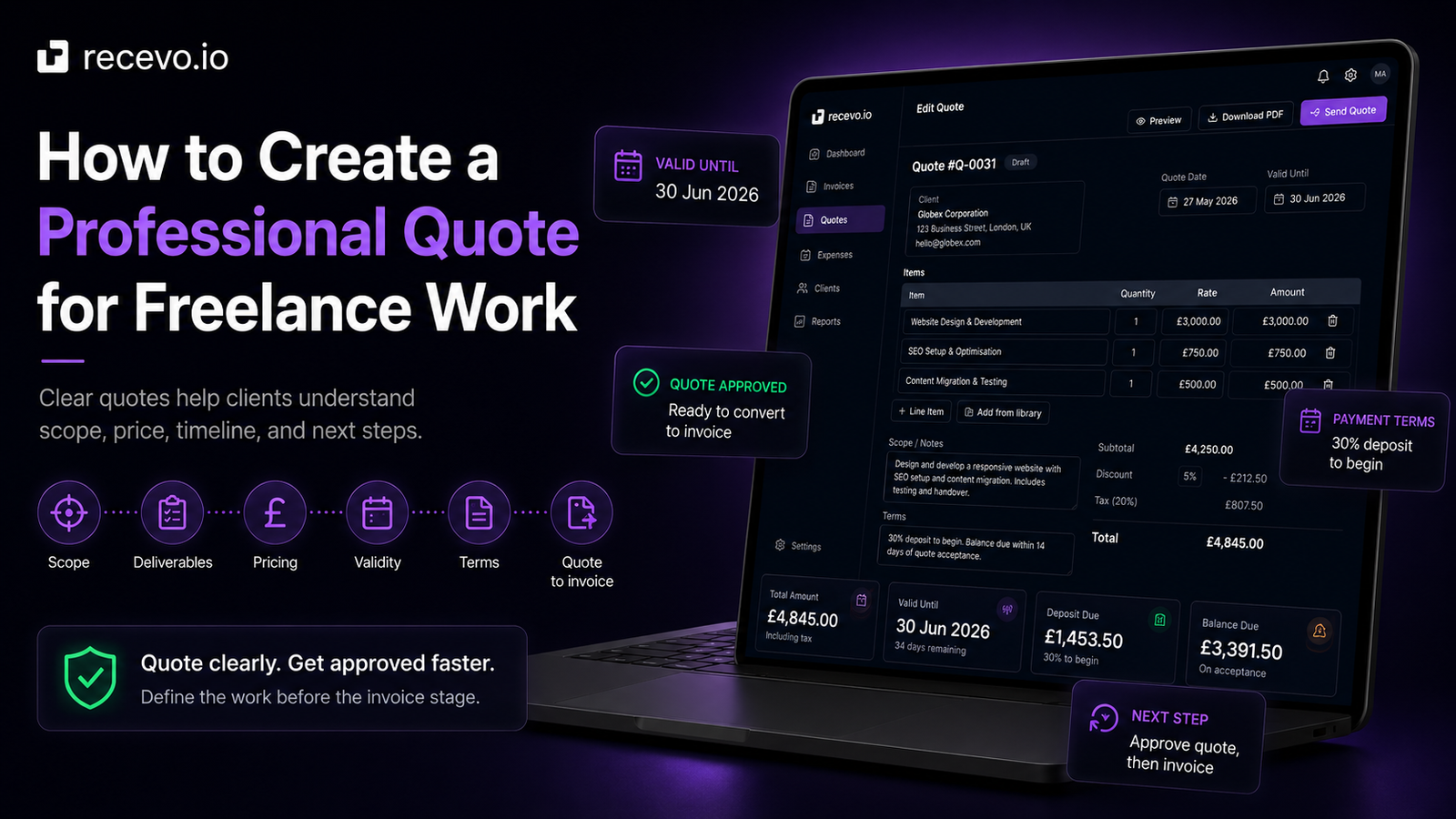
A professional quote helps a client decide whether to go ahead with a project.
It turns a conversation into something clear: what you will do, what it will cost, when it can happen, and what the client needs to approve.
For freelancers, sole traders, consultants, creatives, tradespeople, and independent workers, a good quote can make the difference between a vague enquiry and a confirmed piece of work.
A quote does not need to be complicated.
But it should be clear enough that the client understands exactly what they are agreeing to.
In this guide, we’ll cover what a freelance quote should include, how to structure one professionally, common mistakes to avoid, and how recevo.io can help you create quotes, export PDFs, share them with clients, and convert accepted quotes into invoices.
What is a freelance quote?
A freelance quote is a document that sets out the price for a defined piece of work.
It usually comes after an initial discussion, once the client has explained what they need and you have enough information to price the job.
A quote is more specific than a rough estimate.
It should explain:
- what work is included
- what the client will receive
- how much it will cost
- when the work can happen
- how long the quote is valid for
- what payment terms apply
- what happens next if the client accepts
A professional quote gives the client confidence.
It also protects you from misunderstandings later.
Why a professional quote matters
Many freelancers start by sending prices in an email or message.
That can work for very small jobs.
But as soon as the work has multiple parts, deadlines, deliverables, payment terms, or exclusions, a proper quote is usually better.
A professional quote helps you:
- look more organised
- define the scope before work starts
- reduce client confusion
- avoid unclear expectations
- explain pricing clearly
- set payment terms early
- create a smoother path to invoicing
- keep a record of what was agreed
It also helps the client.
They can review the quote, forward it internally, compare it with their budget, and approve it with more confidence.
Quote vs estimate vs invoice
A quote, estimate, and invoice are related, but they are not the same.
An estimate gives an approximate price before the details are final.
A quote gives a clearer price for agreed work.
An invoice asks for payment.
A simple freelance workflow might look like this:
Estimate the likely cost.
Send a quote for the agreed work.
Convert the accepted quote into an invoice when payment is due.
Not every project needs all three.
For simple jobs, you might go straight to a quote. For repeat work, you might go straight to an invoice. For uncertain work, you might start with an estimate.
The important thing is to use the right document for the stage of the client relationship.
What should a freelance quote include?
A good freelance quote should be easy to read and easy to approve.
Here are the key parts to include.
Your business details
Start with your own details.
Include your name, business name, trading name, contact details, and address if relevant.
This tells the client who the quote is from and gives them the information they need for their records.
If you use branded PDFs, your quote should also feel visually consistent with your business.
recevo.io supports professional quote PDFs with branding options such as logo and accent colour, so your quotes can look polished without designing a template from scratch.
Client details
Include the client’s name, business name, billing address, or contact details where relevant.
This helps make the quote feel specific to the client rather than generic.
If the client is part of a larger organisation, make sure the quote uses the correct legal or billing entity if they have provided one.
This can avoid admin issues later if the quote becomes an invoice.
Quote number
A quote number helps both sides identify the document later.
For example:
- QUO-0001
- QUO-0002
- QUO-0003
This is especially useful if you send multiple quotes to the same client, revise a quote, or later convert the quote into an invoice.
A clear quote number makes your records easier to search and reference.
Quote date
The quote date shows when the quote was issued.
This matters because prices, timelines, availability, and costs can change.
A quote date also helps if the client comes back later and asks whether the quote is still valid.
Validity date
A validity date tells the client how long the quote is open.
For example:
“Valid until 30 June 2026.”
This is useful because your prices, schedule, or supplier costs may not stay the same forever.
Without a validity date, a client might try to accept an old quote months later, even though your availability or pricing has changed.
Common validity periods include:
- 7 days
- 14 days
- 30 days
- end of the month
- a specific project decision deadline
Choose a period that fits your work.
Scope of work
The scope of work is one of the most important parts of a freelance quote.
It explains what you are agreeing to do.
For example, instead of writing:
“Website work”
you could write:
“Design and build a five-page brochure website, including homepage, about page, services page, contact page, and privacy policy page.”
Instead of:
“Copywriting”
you could write:
“Write homepage, about page, and service page copy, including one discovery call, first draft, and two rounds of revisions.”
Clear scope reduces confusion later.
It also helps prevent small extras from becoming unpaid work.
Deliverables
Deliverables explain what the client will receive.
This is slightly different from the scope of work.
The scope describes the work you will do.
Deliverables describe the finished outputs.
For example:
- final PDF design file
- edited product photos
- five-page website
- brand strategy document
- two blog posts
- workshop summary
- repaired and tested installation
- completed consultation report
Deliverables help the client understand the result, not just the process.
They also make the quote easier to approve because the client can see what they are buying.
Timeline
A quote should explain when the work can happen or how long it is expected to take.
This does not need to be overly detailed.
For example:
“Estimated timeline: 2 weeks from receipt of deposit and required materials.”
Or:
“Work can begin from 15 July 2026, subject to quote approval and deposit payment.”
Timelines are especially important when the project depends on client input.
If the client needs to provide content, access, measurements, images, decisions, or approvals, say so.
That helps avoid delays being blamed on you later.
Line items and pricing
Line items make pricing easier to understand.
Instead of only giving one total, break the work down where useful.
For example:
- Discovery call and project planning — £150
- Website design — £700
- Website build — £1,200
- Final testing and handover — £250
This helps the client see how the total was built.
For simple work, one line item may be enough.
For larger work, a breakdown can make the quote feel more transparent and professional.
Tax, discounts, and extra costs
If tax applies, show it clearly.
If you include a discount, shipping, materials, travel, or other extra costs, show those clearly too.
The client should be able to understand:
- subtotal
- discount, if relevant
- tax, if relevant
- extra charges, if relevant
- total
Do not hide important costs in vague wording.
Clear pricing helps avoid uncomfortable conversations later.
This article is general guidance, not tax advice. If you are unsure what tax details your quote or invoice should include, check official guidance or speak to your accountant.
Payment terms
A quote is a good place to set payment expectations early.
Do not wait until the invoice stage to introduce important payment terms.
Your quote might include:
- payment due on receipt
- 7-day payment terms
- 14-day payment terms
- 30-day payment terms
- deposit required before work begins
- staged or milestone payments
- monthly retainer paid in advance
For example:
“50% deposit due before work begins. Remaining balance due on completion.”
Or:
“Payment due within 14 days of invoice date.”
Clear payment terms make the later invoice easier to understand and easier to follow up.
Deposit terms
For larger projects, new clients, custom work, or anything that reserves your time, a deposit can be a sensible part of the quote.
Example wording:
“30% deposit required to confirm the project. Remaining balance due after final delivery.”
Or:
“50% deposit due before work begins. Remaining 50% due on completion.”
Including deposit terms in the quote avoids surprising the client later.
It also creates a clear path from accepted quote to deposit invoice.
recevo.io lets you create quotes and then convert accepted quotes into invoices, which is useful when a quote becomes a deposit invoice or final invoice.
What is not included
One of the best ways to prevent scope creep is to explain what is not included.
For example:
“This quote does not include hosting, paid fonts, stock photography, copywriting, or ongoing maintenance.”
Or:
“This quote includes two rounds of revisions. Additional revisions will be quoted separately.”
This does not need to sound defensive.
It simply helps both sides understand the boundaries of the work.
A clear exclusion now can prevent an awkward conversation later.
Client responsibilities
Some projects depend on the client doing their part.
For example, the client may need to provide:
- content
- images
- access credentials
- measurements
- feedback
- approvals
- brand assets
- product details
- availability for calls
- purchase order details
If the timeline depends on those things, say so in the quote.
Example:
“Timeline begins once the deposit has been paid and all required content has been supplied.”
This makes the process clearer and fairer.
Next steps
A professional quote should tell the client what to do next.
For example:
“To proceed, please reply confirming acceptance of this quote. I will then send the deposit invoice and confirm the project start date.”
Or:
“If you are happy to go ahead, please approve the quote by 30 June 2026.”
This removes uncertainty.
The client should not have to guess how to accept the quote.
Example freelance quote structure
A simple freelance quote might follow this structure:
- Your business details
- Client details
- Quote number
- Quote date
- Validity date
- Project summary
- Scope of work
- Deliverables
- Timeline
- Line items
- Tax, discounts, or extra costs
- Total price
- Payment terms
- Deposit terms, if relevant
- Exclusions
- Client responsibilities
- Next steps
You do not need every section for every project.
But this structure gives you a strong starting point.
Common freelance quote mistakes to avoid
Being too vague
A vague quote creates risk.
If the quote only says “website project” or “consulting work”, the client may assume more is included than you intended.
Be specific about scope, deliverables, timelines, and limits.
Forgetting a validity date
A quote without a validity date can stay open-ended.
That can be a problem if the client comes back months later and expects the same price or availability.
Use a clear expiry date.
Hiding assumptions
If the quote depends on the client providing content, giving access, approving stages, or keeping scope fixed, say so.
Assumptions should be visible, not hidden in your head.
Not explaining what is excluded
Exclusions protect both sides.
They help the client understand what is not part of the price and give you a clearer basis for quoting additional work later.
Not setting payment terms
Payment terms should not appear for the first time on the invoice.
Put them in the quote so the client understands the payment structure before approving the work.
Rebuilding the invoice manually
If a quote is accepted, you should not have to rebuild the invoice from scratch.
Manual copying can introduce mistakes.
A quote-to-invoice workflow helps carry the agreed details forward.
How recevo.io helps you create professional quotes
recevo.io is private, no-signup invoicing for independent workers.
It helps freelancers, sole traders, consultants, tradespeople, creatives, and side hustlers create quotes and invoices in the browser without creating an account.
With recevo.io, you can create quotes and estimates with:
- scope of work
- timelines
- deliverables
- validity dates
- line items
- tax
- discounts
- customer details
- notes
- payment terms
- private notes
- PDF export
- encrypted read-only sharing
- locking
- cloning
When a quote is accepted, you can convert it into an invoice with one click.
That means the client details, line items, pricing, and terms can carry over automatically instead of being copied manually.
Quote it. Invoice it. Get paid.
Create professional quote PDFs
A quote should look professional.
It may be the first formal document a client receives from you, so presentation matters.
recevo.io lets you export professional quote PDFs in the browser. You can use built-in templates and branding options such as logo and accent colour, so your quotes feel consistent with your business.
That is much easier than maintaining fragile spreadsheet or document templates where layouts, columns, and page breaks can shift unexpectedly.
Share quotes with clients
Different clients prefer different ways to review quotes.
Some want a PDF attachment.
Some prefer a link.
recevo.io supports PDF export and encrypted read-only sharing for quotes and invoices.
Private notes, audit history, and tax classifications are not included in shared links. Shared links should still be treated as sensitive, just like PDF attachments.
Keep quotes and invoices connected
One of the biggest advantages of a proper quote workflow is continuity.
The quote defines the work.
The invoice requests payment.
If the client accepts a quote, the invoice should match what was agreed.
recevo.io helps by letting you convert quotes into invoices instead of rebuilding them manually.
This keeps the workflow cleaner and reduces the risk of copying the wrong price, forgetting a line item, or changing the wording by mistake.
Why no signup matters
Many invoicing and quoting tools make you create an account before you can send even one document.
recevo.io does not.
You can open the app and start creating quotes and invoices — no account required.
No email address. No password. No trial. No subscription needed for the core no-signup app.
That makes recevo.io useful when you want to create a professional quote quickly without setting up another SaaS account.
Your normal workspace lives in your browser
recevo.io is browser-based by design.
Your normal workspace lives in your browser, not in a central recevo.io invoice database.
That is a deliberate privacy and ownership choice.
It means you can create quotes, invoices, and records without handing your normal workspace to a central cloud database.
There is an important trade-off.
If browser data is cleared, your local workspace can be lost unless you have a backup.
recevo.io supports manual JSON Backup & Restore. Backup files are plain JSON for portability and transparency, so they may contain sensitive business data and should be stored securely.
Optional Encrypted Cloud Backup is also available as an off-device safety net. It is opt-in, off by default, and is not real-time cloud sync or team collaboration.
Is recevo.io accounting software?
No.
recevo.io is an invoicing-first tool for independent workers.
It includes useful depth around quotes, expenses, payment tracking, live P&L visibility, categories, tax classification, and accountant-ready exports, but it is not accounting software, tax filing software, payroll software, or a replacement for your accountant.
The goal is simpler:
Create the quote. Agree the work. Convert it to an invoice. Keep your records organised.
Frequently asked questions
What should a freelance quote include?
A freelance quote should usually include your details, client details, quote number, quote date, validity date, scope of work, deliverables, timeline, line items, pricing, payment terms, and next steps.
For larger projects, it should also include assumptions, exclusions, client responsibilities, and deposit terms.
Is a quote the same as an estimate?
No. An estimate is usually an approximate price before all details are final. A quote is usually a clearer price for agreed work.
Exact expectations can vary, so make your wording clear.
Is a quote the same as an invoice?
No. A quote is sent before payment is due so the client can approve the work and price. An invoice is sent when payment is due.
Should a freelance quote include a validity date?
Yes. A validity date tells the client how long the quote is open and helps protect you if prices, availability, or costs change later.
Should I include payment terms in a quote?
Yes. Payment terms should be clear before the client approves the work. Include deposit terms, due dates, staged payments, or retainer details where relevant.
Can I convert a quote into an invoice?
Yes. This is a common freelance workflow.
With recevo.io, you can convert an accepted quote into an invoice with one click, carrying over the details automatically.
Can I create a quote without signing up?
Yes. recevo.io lets you create quotes and invoices in your browser without creating an account.
Open the app and start quoting or invoicing — no account required.
Create your first professional quote
A good quote makes it easier for clients to say yes.
Define the scope. Show the deliverables. Explain the price. Set the timeline. Include payment terms. Make the next step obvious.
With recevo.io, you can create professional quotes, export PDFs, share encrypted read-only links, and convert accepted quotes into invoices without signing up.
Create your first quote or invoice here:
Quote it, invoice it, and keep your records organised — no signup required.
Unlimited invoices, quotes & expenses · Free forever
Start with a quote, finish with an invoice
Create the quote, share a read-only link, and convert it to an invoice the moment it is accepted. Free, no sign-up, no invoice limits.
Free forever · No account · No card · No watermark · Opens in a new tab
Unlike most free invoice tools:
- Unlimited invoices and quotes
- Branded PDFs with no watermark
- Works offline in your browser
- Your data never leaves your device
- Expenses and profit tracking included
- No account, no card, no premium tier

“Detailed quotes with my own payment terms, and my income at a glance.”