
What to Do When a Client Doesn’t Pay an Invoice
Late invoice payments are stressful, but they are easier to handle with a clear process. Here’s how freelancers can check, follow up, record, and escalate unpaid invoices calmly.
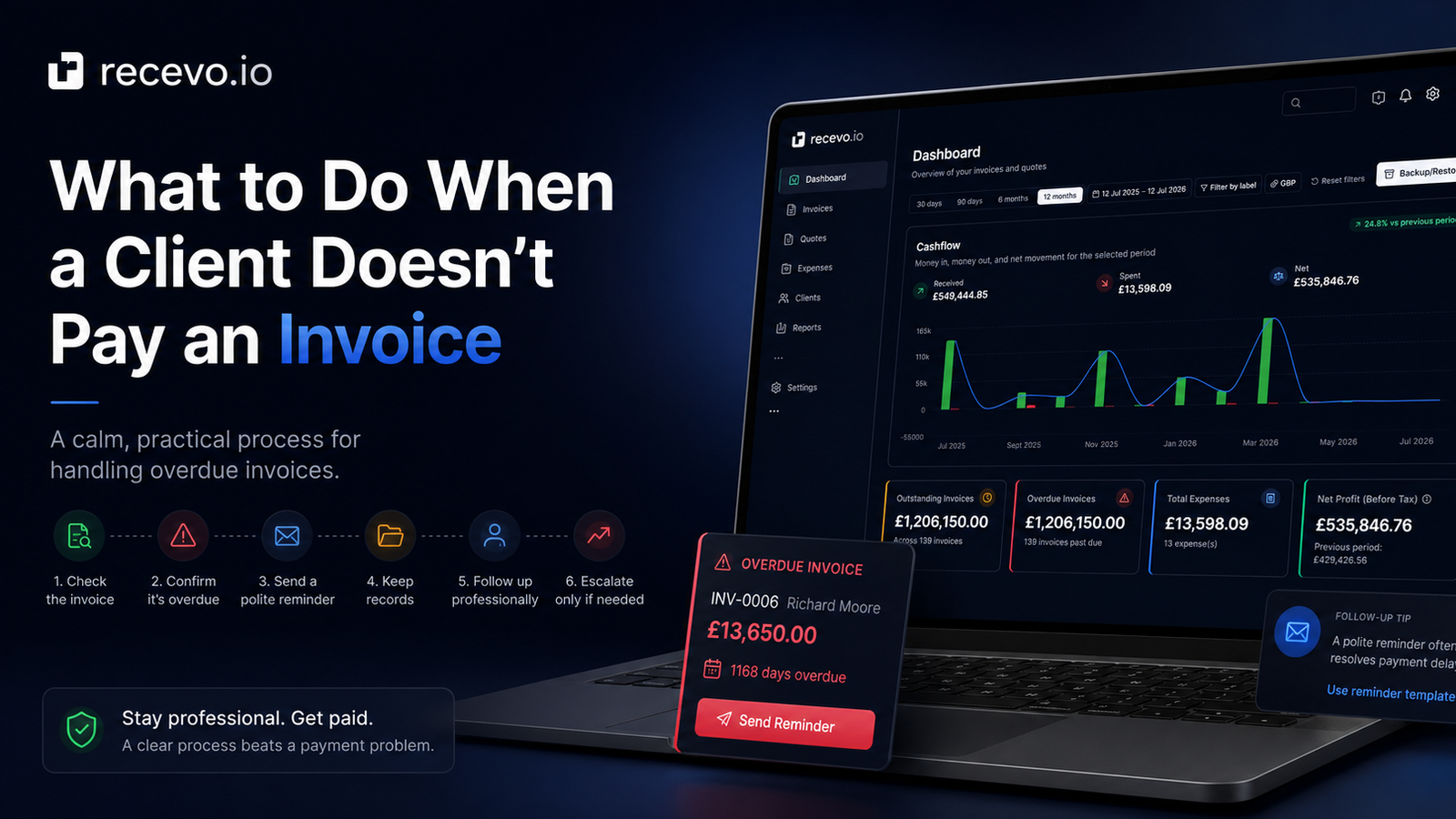
A client not paying an invoice can feel awkward, frustrating, and stressful.
You did the work. You sent the invoice. The due date passed. Now you have to decide what to do next without damaging the client relationship or sounding too aggressive.
For freelancers, sole traders, consultants, creatives, tradespeople, and independent workers, late payment is more than an admin problem. It affects cash flow, planning, confidence, and the time you have available for actual paid work.
The good news is that many late invoices are caused by simple issues: the invoice went to the wrong person, the payment run has not happened yet, a purchase order was missing, or the client simply forgot.
The best first step is usually not panic.
It is process.
This guide explains what to do when a client does not pay an invoice, how to chase overdue invoices professionally, what to record, when to escalate, and how recevo.io can help you keep invoice tracking clearer.
This is general guidance, not legal advice. If an unpaid invoice becomes serious, check official guidance for your country or speak to an appropriate professional adviser.
Start by checking the invoice
Before chasing the client, check the invoice itself.
A small mistake can cause a real payment delay.
Review:
- the client name and billing details
- invoice number
- issue date
- due date
- payment terms
- payment instructions
- bank details or payment link
- purchase order number, if needed
- project or reference number, if needed
- line items and totals
- tax details, if relevant
- currency
If anything is missing or wrong, fix it before following up.
For example, if the client requires a purchase order number and it is not on the invoice, the finance team may not be able to process it.
If the payment instructions are unclear, the client may have set it aside until someone can check.
If the invoice was sent to your day-to-day contact but not the finance inbox, it may not have entered the payment workflow at all.
Confirm the invoice is actually overdue
Next, check whether the invoice is genuinely late.
Look at the payment terms and due date.
If the invoice says payment is due within 14 days, count from the invoice date or the agreed starting point. If the invoice has a specific due date, use that.
Also consider how the client pays.
Some businesses run payments once or twice a month. Some need internal approval. Some require supplier setup before the first payment. Some public bodies or larger companies have formal processes that can take time.
That does not mean you should ignore late payment.
But it helps you write a calmer, more effective follow-up.
Check whether the client received it
If the invoice is overdue, the next question is simple:
Did the right person receive it?
Before assuming the client is avoiding payment, check your sent email, client portal, or message history.
Look for:
- the date you sent the invoice
- the email address used
- whether there were attachments
- whether the attachment was the correct PDF
- whether the client acknowledged receipt
- whether the invoice was uploaded to the correct portal
- whether it bounced or failed to send
If you are not sure the invoice reached the right place, your first message should be a gentle resend rather than a formal overdue notice.
Send a polite first reminder
Your first reminder should be calm and practical.
At this stage, assume the delay may be accidental.
Here is a simple example:
Hi [Client Name],
I hope you’re well.
Just a quick reminder that invoice [Invoice Number] for [Amount] was due on [Due Date].
I’ve attached the invoice again for convenience. Please let me know if you need anything else from me to process it.
Many thanks,
[Your Name]
This does a few useful things.
It states the invoice number, amount, and due date. It attaches the invoice again. It gives the client an easy way to tell you if something is missing.
It is polite, but clear.
Make the payment details easy to find
When chasing an unpaid invoice, do not make the client search for payment details.
Even if the details are on the invoice, you can include a short reminder in the email.
For example:
Payment details are included on the invoice. Please use invoice number [Invoice Number] as the payment reference.
If you accept multiple payment methods, mention the preferred one.
If your invoice includes bank details, check they are correct before resending.
For international clients, make sure the invoice clearly shows currency and any payment details they need.
Keep a written record
Every follow-up should leave a record.
Keep track of:
- when the invoice was sent
- who it was sent to
- when it became overdue
- when you followed up
- what the client replied
- any promised payment date
- whether a revised invoice was requested
- when payment eventually arrived
This helps you stay organised and gives you a clear timeline if the issue continues.
It also stops you relying on memory when you have several invoices, clients, and projects active at once.
With recevo.io, you can keep invoice status, payment/refund records, private notes, and audit history alongside the invoice record, rather than managing everything across PDFs, spreadsheets, inboxes, and memory.
Send a firmer second reminder
If the first reminder gets no response, wait a sensible amount of time and send a firmer follow-up.
You can still be professional without being vague.
For example:
Hi [Client Name],
I’m following up again on invoice [Invoice Number] for [Amount], which was due on [Due Date].
Could you confirm when payment is expected?
I’ve attached the invoice again for reference. Please let me know if there is anything preventing payment from being processed.
Many thanks,
[Your Name]
This message asks for a clear response.
It also gives the client a chance to explain whether there is a genuine issue, such as a missing purchase order, disputed detail, or admin delay.
Ask if there is a problem with the invoice
Sometimes an invoice is not paid because the client has a concern they have not clearly raised.
Ask directly, but calmly.
For example:
Is there anything on the invoice that needs to be corrected or clarified before payment can be processed?
This is useful because it moves the conversation forward.
If the client has a real concern, you can address it.
If they do not, you have made it harder for the invoice to remain quietly ignored.
Pause new work if needed
If a client has not paid an overdue invoice, think carefully before continuing more work for them.
This depends on the relationship, the amount owed, the reason for the delay, and any agreement you have in place.
For a trusted client with a minor admin delay, pausing work may be unnecessary.
For a client who is not responding, repeatedly pays late, or owes a significant amount, continuing work can increase your risk.
A calm message might say:
Before I schedule the next stage of work, could we please settle invoice [Invoice Number], which is currently overdue?
This keeps the tone professional while making the boundary clear.
Send a final reminder before escalation
If the invoice remains unpaid and the client is not responding, you may need to send a final reminder.
This should be more formal, but still controlled.
For example:
Hi [Client Name],
I’m writing again about invoice [Invoice Number] for [Amount], which was due on [Due Date].
This invoice is now overdue. Please arrange payment or confirm the payment date by [Date].
If there is a problem with the invoice, please let me know as soon as possible so we can resolve it.
Many thanks,
[Your Name]
At this point, you are setting a clear expectation.
You are not threatening. You are documenting.
Know when to escalate
If polite reminders do not work, you may need to consider next steps.
Depending on your situation, this could include:
- contacting a different person at the client’s business
- using the client’s accounts payable process
- sending a formal letter before action
- seeking legal advice
- using a debt recovery process
- ending the client relationship
- refusing further work until payment is made
The right step depends on the amount owed, your contract, your location, the client’s location, and the relationship.
Do not guess your legal position.
If the invoice is important enough to escalate, get proper advice or check official guidance.
UK note: late commercial payments
If you are in the UK and the unpaid invoice is a business-to-business commercial payment, there are official rules around late commercial payments.
GOV.UK says businesses can claim interest and debt recovery costs if another business is late paying for goods or a service.
At the time of writing, GOV.UK guidance says that if you agree a payment date, it must usually be within 30 days for public authorities or 60 days for business transactions. It also explains statutory interest and fixed debt recovery costs.
This is not legal advice. Rules can change, and your contract or situation may affect what you can do.
If you are considering charging interest, adding recovery costs, or taking formal action, check the current official guidance or speak to an adviser.
Preventing late payment next time
You cannot prevent every late payment.
But you can reduce the risk.
Agree payment terms before work starts
Make payment terms clear before the invoice is sent.
For example:
- 50% deposit before work starts
- payment due within 7 days
- payment due within 14 days
- payment due on completion
- monthly retainer invoiced in advance
The earlier you clarify terms, the less awkward the invoice conversation becomes later.
Send quotes before starting larger work
For larger projects, send a clear quote before work begins.
A quote helps define scope, deliverables, pricing, and expectations. When the client accepts the quote, the later invoice should feel like the natural next step.
recevo.io includes quotes and estimates alongside invoices, with one-click quote-to-invoice conversion when the work is accepted.
That helps reduce retyping and keeps the invoice aligned with what the client approved.
Include due dates on every invoice
Do not rely on vague wording.
A specific due date is easier for the client to understand and easier for you to follow up on.
For example:
Payment due by 30 June 2026.
This is clearer than making the client calculate the date from “Net 14” or “payment due within 14 days.”
Make payment instructions obvious
Late payment sometimes happens because payment instructions are unclear.
Your invoice should show:
- how to pay
- which reference to use
- which currency applies
- when payment is due
- who to contact with questions
A professional PDF invoice should make all of this easy to find.
Track invoice status consistently
A common problem for freelancers is not knowing which invoices need attention.
If you manage invoices manually, it is easy to lose track.
At minimum, track:
- draft
- sent
- paid
- part-paid
- overdue
- refunded
- cancelled or replaced
recevo.io supports invoice statuses and payment/refund tracking, so you can see what has been sent, what has been paid, and what still needs action.
Keep client records organised
If you work with repeat clients, save their billing details.
This helps avoid sending invoices to the wrong person or missing required billing information.
recevo.io includes customer management, so you can reuse client details instead of retyping them every time.
Use professional PDFs
A clear PDF invoice is easier for clients to approve, forward, save, and pay.
Spreadsheets and editable documents can work, but they can also create layout issues, version confusion, and accidental changes.
With recevo.io, you can export professional invoice PDFs in your browser using built-in templates and branding options.
How recevo.io helps with unpaid invoices
recevo.io is private, no-signup invoicing for independent workers.
It helps you create, send, and track invoices without signing up for another SaaS account.
With recevo.io, you can:
- create professional invoices
- export invoice PDFs
- share encrypted read-only invoice links
- set invoice numbers
- add issue dates and due dates
- include payment terms
- record payments and refunds
- track invoice status
- add private notes
- lock finalised invoices
- clone invoices
- keep audit history
- manage customers
- convert accepted quotes into invoices
This does not magically make every client pay on time.
But it does make the chasing process easier because your invoice records are clearer.
You can see what was sent, when it was due, what has been paid, and what still needs follow-up.
Why no signup matters
Many invoicing tools make you create an account before you can send even one invoice.
recevo.io does not.
You can open the app and start invoicing — no account required.
There is no email address, password, trial, or subscription needed to use the core no-signup invoicing app.
That makes it useful for independent workers who want professional invoicing without a complicated setup.
Your normal workspace lives in your browser
recevo.io is browser-based by design.
Your normal workspace is not stored in a central recevo.io invoice database. It lives in your browser.
That is a deliberate privacy and ownership choice.
The trade-off is that if browser data is cleared, your local workspace can be lost unless you have a backup.
recevo.io supports manual JSON Backup & Restore. Backup files are plain JSON for portability and transparency, so they may contain sensitive business data and should be stored securely.
Optional Encrypted Cloud Backup is also available as an off-device safety net. It is opt-in, off by default, and is not real-time cloud sync or team collaboration.
Is recevo.io accounting software?
No.
recevo.io is an invoicing-first tool for independent workers.
It includes useful depth around quotes, expenses, payment tracking, live P&L visibility, categories, tax classification, and accountant-ready exports, but it is not accounting software, tax filing software, payroll software, or a replacement for your accountant.
The goal is simpler:
Create invoices. Send them professionally. Track what happens next.
Unpaid invoice email templates
Here are three simple templates you can adapt.
First polite reminder
Hi [Client Name],
I hope you’re well.
Just a quick reminder that invoice [Invoice Number] for [Amount] was due on [Due Date].
I’ve attached the invoice again for convenience. Please let me know if you need anything else from me to process it.
Many thanks,
[Your Name]
Second follow-up
Hi [Client Name],
I’m following up again on invoice [Invoice Number] for [Amount], which was due on [Due Date].
Could you confirm when payment is expected?
I’ve attached the invoice again for reference. Please let me know if there is anything preventing payment from being processed.
Many thanks,
[Your Name]
Final reminder before escalation
Hi [Client Name],
I’m writing again about invoice [Invoice Number] for [Amount], which was due on [Due Date].
This invoice is now overdue. Please arrange payment or confirm the payment date by [Date].
If there is a problem with the invoice, please let me know as soon as possible so we can resolve it.
Many thanks,
[Your Name]
Frequently asked questions
What should I do first if a client does not pay an invoice?
First, check the invoice details. Make sure the due date, payment instructions, client details, purchase order number, and amount are correct. Then confirm the invoice was sent to the right person.
How do I politely chase an unpaid invoice?
Send a short, calm reminder with the invoice number, amount, due date, and a copy of the invoice attached. Ask whether anything else is needed to process payment.
When should I follow up on an overdue invoice?
Once the due date has passed, it is reasonable to send a polite reminder. The timing depends on your relationship with the client and your payment terms, but do not leave overdue invoices unmanaged for too long.
What should an overdue invoice email include?
Include the invoice number, amount due, original due date, payment instructions, and a copy of the invoice. If it is a later reminder, ask the client to confirm when payment will be made.
Should I keep working for a client who has not paid?
Be careful. If a client is late paying and not communicating, continuing work may increase your risk. Depending on the relationship and amount owed, you may want to pause further work until the overdue invoice is settled.
Can I charge interest on a late invoice?
Rules depend on your country, contract, and the type of client. In the UK, official guidance explains late commercial payment rules for business-to-business debts, including interest and debt recovery costs. Check current guidance or get professional advice before adding charges.
Can recevo.io help with overdue invoices?
Yes. recevo.io helps you create invoices, set due dates, track statuses, record payments and refunds, add private notes, and keep invoice history organised in your browser.
Do I need an account to use recevo.io?
No. Open the app and start invoicing — no account required.
recevo.io does not require an email address, password, trial, or subscription to use the core no-signup app.
Create and track invoices with less stress
Unpaid invoices are stressful, but a clear process helps.
Check the invoice. Follow up politely. Keep records. Escalate carefully when needed.
With recevo.io, you can create professional invoice PDFs, track payment status, record payments and refunds, and keep your invoicing workflow organised in your browser.
Create your first invoice here:
No signup. No subscription. No invoice limits. Just private, browser-based invoicing for independent workers.
Unlimited invoices, quotes & expenses · Free forever
Your next reminder is already written
Open recevo.io, add the invoice, and Chase Reminders drafts the polite follow-up when it falls due. No account, and nothing is sent without you.
Free forever · No account · No card · No watermark · Opens in a new tab
Unlike most free invoice tools:
- Unlimited invoices and quotes
- Branded PDFs with no watermark
- Works offline in your browser
- Your data never leaves your device
- Expenses and profit tracking included
- No account, no card, no premium tier

“Send a quote, convert it to an invoice in one click - tracking payments is so much easier.”