
How to Track Recurring Expenses and Subscriptions as a Freelancer
Recurring costs like software, rent, utilities, insurance, phone bills, hosting, and subscriptions can quietly reduce freelance profit. This guide explains how to track recurring expenses, review them before they hit your records, and keep cleaner income, expense, and P&L data in recevo.io.
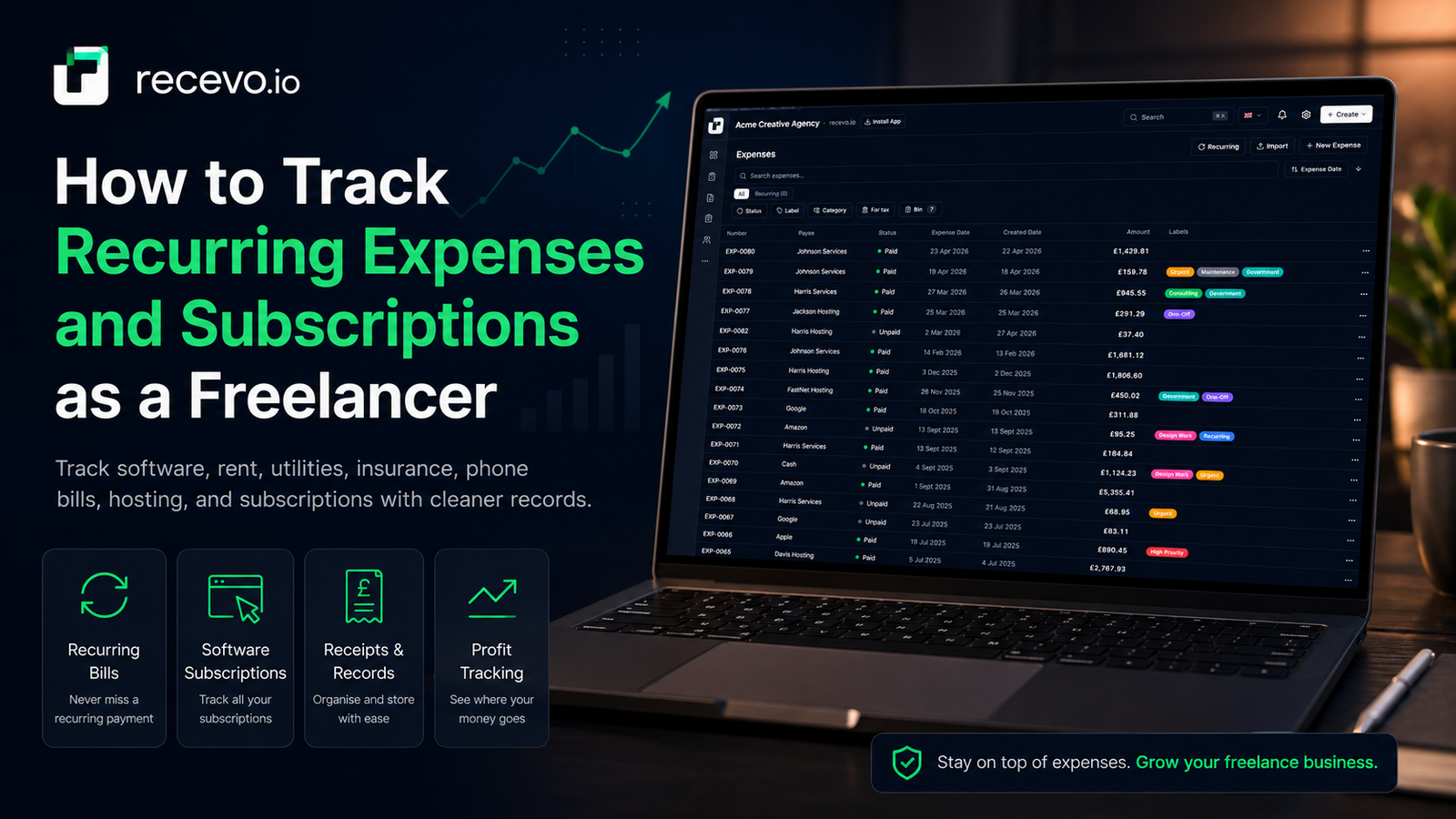
Freelancers are usually very aware of the invoices they send.
The expenses are easier to miss.
A software subscription here. A hosting bill there. A phone contract. Insurance. Cloud storage. Design tools. Accounting fees. Rent. Utilities. Co-working. A monthly retainer you pay to a contractor.
Individually, those costs may not feel dramatic.
Together, they can quietly reduce your profit every month.
That is why tracking recurring expenses matters.
If you are self-employed, freelancing, consulting, running a side hustle, or working as a sole trader, your regular outgoings are part of the real picture of your business. You need to know what is coming in, what is going out, and which costs repeat automatically.
recevo.io helps with that.
It is best known as private, no-signup invoicing for independent workers, but it also includes expense tracking, receipt attachments, recurring expense templates, categories, tax classifications, and a live P&L dashboard.
That means you can create invoices and quotes, then keep a clearer view of the costs that come back every week, month, or year.
Why recurring expenses are easy to miss
Recurring expenses are easy to ignore because they often happen in the background.
You set up a subscription once. You add a card. You approve a direct debit. Then the money leaves automatically.
That is convenient, but it can make your business costs feel invisible.
For freelancers and sole traders, recurring expenses often include:
software subscriptions,
web hosting,
domain renewals,
cloud storage,
design tools,
development tools,
AI tools,
accounting or tax software,
insurance,
phone bills,
internet bills,
co-working space,
studio rent,
utilities,
professional memberships,
contractor retainers,
stock services,
and bank or payment fees.
Some renew monthly. Some renew yearly. Some change price without you noticing. Some are no longer useful but keep billing you anyway.
If you do not track them, your profit can look better than it really is.
Recurring costs affect your real profit
Revenue is exciting.
Profit is what is left after costs.
If you only track invoices, you can see what clients owe you, but you may not see what your business costs to run.
That is why recurring expenses are important.
A freelancer billing £4,000 in a month with £150 of recurring costs is in a very different position from a freelancer billing £4,000 with £900 of recurring costs.
Both have the same income.
They do not have the same profit.
Tracking recurring expenses gives you a more honest view of your business. It helps you understand your monthly baseline, spot waste, prepare cleaner records, and make better decisions about pricing.
Why a spreadsheet often breaks down
Many freelancers start with a spreadsheet.
That can work at first.
You add a few rows for software, hosting, travel, and phone costs. You update it when you remember. You total it at the end of the month.
But recurring expenses make spreadsheets harder to maintain.
You need to remember which costs repeat, when they repeat, whether they were actually paid, whether the amount changed, whether the receipt exists, whether the category is right, and whether the expense should count for tax.
That is a lot to manage manually.
Spreadsheets also do not naturally connect to your invoices, customers, payees, receipts, P&L dashboard, accountant exports, or backup workflow.
recevo.io gives you a more structured way to manage the same information without turning your invoicing workflow into a heavy accounting platform.
What is a recurring expense?
A recurring expense is any business cost that repeats on a schedule.
It might repeat daily, weekly, monthly, or yearly.
For freelancers and sole traders, the most common examples are subscriptions and bills.
A recurring expense could be:
£12 per month for cloud storage,
£20 per month for design software,
£50 per month for mobile phone service,
£80 per month for hosting,
£300 per month for co-working,
£600 per year for insurance,
or a monthly retainer paid to a subcontractor.
Some recurring expenses are fixed. Others vary slightly. Some are active for years. Others should be cancelled after a project ends.
A good recurring expense tracker should help you remember them, review them, and decide what to do each cycle.
How recevo.io handles recurring expenses
recevo.io includes recurring expense templates.
A template is a reusable setup for a regular outgoing. You create it once, choose the cadence, add the relevant details, and recevo.io uses it to generate pending occurrences on schedule.
The important word is pending.
recevo.io does not silently post recurring expenses into your records.
Each occurrence lands in a review flow first.
You decide whether to confirm it, confirm it and mark it paid, or skip it.
That gives you the convenience of automation without losing control of your books.
Why “always review” matters
Some recurring expense tools automatically post costs as soon as they become due.
That can be risky.
A subscription may have been cancelled. A price may have changed. A card payment may have failed. A bill may not have arrived. A supplier may have paused work. A cost may now be personal rather than business-related.
recevo.io avoids silently adding expenses you have not reviewed.
Pending occurrences are suggestions waiting for your approval.
You stay in control.
For each recurring expense occurrence, you can:
Confirm
Create the real expense record.
Confirm and mark paid
Create the expense and record that it has been paid.
Skip
Ignore that occurrence if the cost did not happen or should not be recorded.
This is a useful middle ground for freelancers. You get reminders and structure, but your records only change when you say so.
Example: tracking freelance subscriptions
Imagine you are a freelance designer.
Every month, you pay for design software, cloud storage, a stock photo service, website hosting, and your phone contract.
Every year, you pay for insurance, domain renewals, and professional membership.
Without a system, these costs are easy to forget.
With recevo.io, you can create recurring expense templates for each one.
When a cost becomes due, recevo.io surfaces it for review. You confirm what actually happened, attach a receipt if needed, check the category, and keep moving.
Your dashboard then has a clearer picture of money in and money out.
Example: tracking a co-working membership
If you pay for a co-working space or studio every month, that cost affects your baseline profit.
A recurring expense template helps you keep it visible.
You set the amount, cadence, payee, category, and tax classification. Each month, recevo.io creates a pending occurrence for review.
If the payment went through, you confirm it. If your membership was paused, you skip it. If the amount changed, you can adjust before saving the real expense.
That is much cleaner than discovering six months later that your records are missing half the payments.
Example: tracking yearly renewals
Annual costs are especially easy to miss.
Domain renewals, insurance, professional memberships, licences, and annual software plans may only appear once a year.
Because they are infrequent, they are easy to forget until the payment appears.
A recurring expense template helps you keep them on your radar.
When the yearly occurrence becomes due, you can review it, confirm it, and attach the supporting document.
That makes year-end records easier and reduces the chance of missing a legitimate business cost.
Recurring expenses and your P&L
The point of tracking recurring expenses is not just to have a tidy list.
It is to understand your business better.
recevo.io’s dashboard helps connect income and expenses so you can see a clearer picture of your finances.
When you record invoices and expenses in the same workspace, you can review money in, money out, net profit before tax, expense categories, and useful business totals.
Recurring expenses feed into that picture once you confirm them as real expenses.
That means your P&L is not just based on client income. It also reflects the regular costs of running your freelance business.
Categories help you understand where money goes
Recurring expenses become more useful when they are categorised consistently.
For example, you might use categories such as:
software,
hosting,
phone and internet,
insurance,
rent,
utilities,
professional fees,
materials,
subscriptions,
travel,
or subcontractors.
Categories help you see patterns.
Maybe software has become your biggest monthly cost. Maybe subscriptions have grown slowly over time. Maybe a project has more recurring supplier costs than expected.
recevo.io lets you apply categories to expenses, including recurring expenses, so you can review costs more clearly on the dashboard and in exports.
Tax classifications help with record preparation
recevo.io also includes tax classification options for expenses.
For expenses, you can mark records as allowable, non-allowable, or personal.
This is not tax advice.
Your accountant should always confirm how costs should be treated.
But classifications can help you prepare cleaner records and flag your understanding before accountant review.
For recurring expenses, this can be especially useful. If a monthly subscription is a business cost, you may want it consistently marked. If a cost is partly personal or uncertain, you can record that carefully and check with your accountant.
Payees make recurring expenses easier to manage
Recurring costs often come from the same suppliers.
A payee might be your software provider, landlord, mobile network, hosting company, insurance provider, contractor, or utility company.
recevo.io includes a payees directory, so repeat suppliers can be stored and reused.
That keeps your expense records cleaner and reduces repeated typing.
For recurring expenses, payees help you see who you are paying regularly and why.
Receipts and supplier invoices matter
A recurring expense record is more useful when the supporting document is attached.
Receipts, supplier invoices, billing emails, and PDFs can help explain what the cost was for.
recevo.io lets you attach receipt images and supplier invoice PDFs to expenses.
That means your recurring subscription record can stay connected to the evidence behind it.
This is useful for your own review, but also for accountant handoff.
Instead of trying to find a receipt months later, you can attach it when you confirm the expense.
Notifications help you avoid forgotten costs
Recurring costs often become a problem because nobody reviews them.
recevo.io helps by surfacing pending recurring expenses through the app’s notification flow.
Due occurrences can be grouped by template, so you are not overwhelmed by separate alerts for every single item.
The dashboard can also show how many pending recurring occurrences are waiting for review.
That gives you a simple prompt: these are the regular costs that need your attention.
A simple monthly routine for freelancers
A good recurring expense workflow does not need to be complicated.
Here is a simple routine you can follow.
Step 1: Create templates for your regular costs
Start with the obvious expenses.
Add templates for software subscriptions, hosting, phone bills, rent, insurance, utilities, memberships, or regular contractor costs.
Choose the cadence: daily, weekly, monthly, or yearly.
Add the amount, payee, category, and tax classification where relevant.
Step 2: Review pending occurrences
When recurring expenses become due, review them before saving.
Check whether the cost actually happened, whether the amount is right, and whether the category still makes sense.
Step 3: Confirm, confirm and mark paid, or skip
If the expense happened, confirm it.
If it has already been paid, confirm and mark paid.
If it did not happen, skip it.
This keeps your records accurate without creating unnecessary admin.
Step 4: Attach receipts or supplier invoices
When you have a receipt, billing PDF, or supplier invoice, attach it to the expense.
This keeps the supporting document with the record.
Step 5: Check your dashboard
Review your income and expenses together.
Look at your net profit, top expense categories, and recurring cost patterns.
This helps you spot costs that may need cancelling, renegotiating, or pricing into future work.
Step 6: Back up your workspace
Because recevo.io is browser-first, backups matter.
Use Backup & Restore, Encrypted Cloud Backup, or both.
Your records are valuable. Protect them.
How recurring expense tracking helps your accountant
Cleaner expense records make accountant handoff easier.
If your recurring costs are recorded consistently, categorised clearly, and supported by receipts or supplier invoices, your accountant has a better starting point.
recevo.io can export accountant-ready files such as invoice PDFs, expense attachments, and CSV spreadsheets.
That means your recurring expenses can become part of a cleaner handoff, rather than a messy search through bank statements, inboxes, and subscription dashboards.
recevo.io does not replace your accountant and does not provide tax advice.
It helps you keep better records before your accountant reviews them.
Why this belongs inside an invoicing app
At first, recurring expenses may sound separate from invoicing.
But for freelancers and sole traders, they are closely connected.
Invoices show what you earned.
Expenses show what it cost to earn it.
Recurring expenses show your ongoing baseline cost of being in business.
A useful invoicing app should help you understand more than the total you billed.
That is why recevo.io includes expenses, recurring expense templates, categories, tax classifications, receipt attachments, dashboard reporting, and accountant exports as depth under the invoicing workflow.
It is still invoicing-first.
But it gives you enough structure to track what matters.
Better than forgetting subscriptions until year-end
Many freelancers only review subscriptions when cash feels tight or tax season arrives.
By then, it is harder to remember which costs were business-related, where receipts are, whether something was cancelled, or when a price changed.
Tracking recurring expenses throughout the year is easier.
It gives you a regular opportunity to ask:
Do I still use this?
Did the price change?
Was this paid?
Is this still a business cost?
Do I have the receipt?
Should I cancel or downgrade?
Those questions can save money and reduce admin later.
Who should use a recurring expense tracker?
A recurring expense tracker is useful for anyone with regular business costs.
That includes freelancers, sole traders, consultants, designers, developers, writers, photographers, tutors, tradespeople, coaches, creators, side hustlers, and micro-business owners.
It is especially useful if you pay for several subscriptions, use paid tools to deliver client work, have monthly overheads, or want a clearer view of profit.
If your costs repeat, they are worth tracking.
Frequently asked questions
What is a recurring expense?
A recurring expense is a cost that repeats on a schedule, such as a monthly software subscription, yearly insurance payment, phone bill, hosting plan, rent, utility bill, or contractor retainer.
Why should freelancers track recurring expenses?
Recurring expenses affect real profit. If you only track invoices, you may know what you earned but not what it cost to run your business. Tracking recurring costs helps you understand your baseline expenses and keep cleaner records.
Can recevo.io track subscriptions?
Yes. recevo.io can be used as a subscription expense tracker for freelancers and sole traders. You can create recurring templates for subscriptions and review each pending occurrence before it becomes an expense.
Does recevo.io automatically post recurring expenses?
No. Pending occurrences are generated on schedule, but they never auto-post to your books. You review each one and choose whether to confirm, confirm and mark paid, or skip.
Can I track rent, utilities, insurance, and software?
Yes. recevo.io recurring expense templates can be used for regular outgoings such as subscriptions, rent, utilities, retainers, software seats, insurance, phone bills, hosting, and similar costs.
Can I attach receipts to recurring expenses?
Yes. Once a recurring occurrence is confirmed as an expense, you can attach receipt images, scanned PDFs, supplier invoices, or other supporting documents.
Do recurring expenses appear in my P&L?
Confirmed expenses feed into your expense records and dashboard reporting. That helps your P&L reflect both income and regular costs.
Is recevo.io accounting software?
No. recevo.io is an invoicing-first tool for independent workers. It includes expenses, recurring expense templates, dashboard reporting, tax classifications, and accountant exports, but it is not a full accounting suite or tax filing product.
Does recevo.io provide tax advice?
No. Tax classifications and estimated taxable profit are preparation aids only. Always check tax treatment with an accountant or official guidance.
Do I need an account to track recurring expenses in recevo.io?
No. recevo.io is no-signup invoicing for independent workers. You can create invoices, quotes, expenses, and recurring expense templates without creating an account.
Start tracking recurring expenses
Recurring expenses are easy to ignore, but they shape your real profit.
With recevo.io, you can create invoices and quotes, track expenses, set up recurring expense templates, review pending costs before they hit your records, attach receipts, categorise expenses, and review your P&L from one private browser-based workspace.
No signup. No subscription. No invoice limits. Just practical invoicing and expense tracking for independent workers.
Start here:
Unlimited invoices, quotes & expenses · Free forever
Keep every expense next to the invoice it belongs to
Track one-off and recurring costs, attach receipts, and export an Accountant Pack when tax time comes. Free forever, no account needed.
Free forever · No account · No card · No watermark · Opens in a new tab
Unlike most free invoice tools:
- Unlimited invoices and quotes
- Branded PDFs with no watermark
- Works offline in your browser
- Your data never leaves your device
- Expenses and profit tracking included
- No account, no card, no premium tier

“I log every expense and see my net profit update in real time.”