
Invoice Reminder Email Templates for Freelancers
Chasing invoices is easier when you do not have to write the message from scratch. Use these polite invoice reminder email templates for due, overdue, and quote follow-up messages.
Chasing an invoice can feel awkward.
You do not want to sound impatient.
You do not want to damage the client relationship.
You do not want to write a message that feels too soft, too blunt, or too formal.
But you still need to get paid.
For freelancers, sole traders, consultants, creatives, tradespeople, and independent workers, invoice follow-up is part of the job. A clear reminder email can help a client notice the invoice, process the payment, or tell you if something is wrong.
The hard part is often knowing what to write.
This guide gives you simple invoice reminder email templates you can copy, edit, and send from your own email address.
It also explains how recevo.io Chase Reminders can help by spotting invoices and quotes that need attention, then drafting the email for you to send yourself.
Important note: recevo.io does not send automatic reminders. It does not run email sequences, track opens, or chase customers on your behalf. You stay in control of the message and send it from your own address.
What should an invoice reminder email include?
A good invoice reminder email should be short, calm, and clear.
It should include:
- the invoice number
- the amount due
- the due date
- a short reminder of what the invoice relates to
- payment instructions or a note that they are included
- a polite request for payment or confirmation
- an invitation to flag any issue
The goal is not to write a long explanation.
The goal is to make it easy for the client to act.
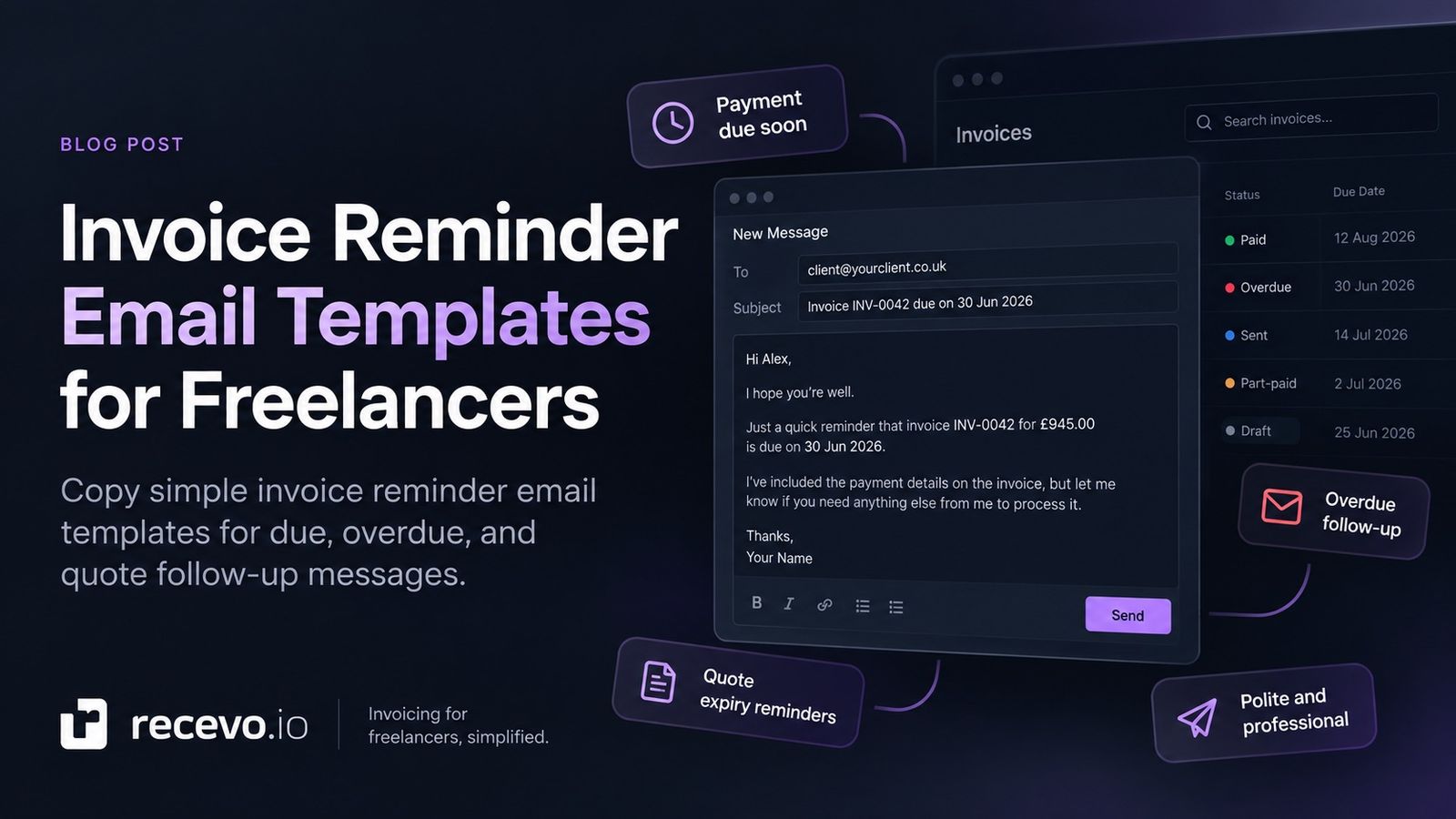
Template 1: Payment due soon
Use this before the invoice due date.
This is not really a chase. It is a friendly nudge to help the client process the invoice on time.
Subject: Invoice [Invoice Number] due on [Due Date]
Hi [Customer Name],
I hope you’re well.
Just a quick reminder that invoice [Invoice Number] for [Total] is due on [Due Date].
I’ve included the payment details on the invoice, but let me know if you need anything else from me to process it.
Thanks,
[Your Name]
Template 2: Payment due today
Use this on the due date.
Keep it practical and neutral. The invoice is not overdue yet, so there is no need to sound firm.
Subject: Invoice [Invoice Number] due today
Hi [Customer Name],
I hope you’re well.
A quick reminder that invoice [Invoice Number] for [Total] is due today.
Please let me know if you need the invoice resent or if there is anything else you need from me.
Thanks,
[Your Name]
Template 3: One day overdue
Use this shortly after the due date has passed.
At this stage, assume it may have been missed rather than deliberately ignored.
Subject: Reminder: invoice [Invoice Number] is now overdue
Hi [Customer Name],
I hope you’re well.
Just a quick reminder that invoice [Invoice Number] for [Total] was due on [Due Date] and now appears to be overdue.
I’ve attached the invoice again for convenience. Please let me know if there are any issues or if you need anything else from me.
Thanks,
[Your Name]
Template 4: One week overdue
Use this when an invoice is around a week late.
This can be a little firmer, while still staying professional.
Subject: Follow-up on overdue invoice [Invoice Number]
Hi [Customer Name],
I’m following up on invoice [Invoice Number] for [Total], which was due on [Due Date].
The outstanding balance is [Balance Due].
Could you let me know when payment is expected, or if there is anything holding this up?
Thanks,
[Your Name]
Template 5: Two weeks overdue
Use this when the invoice has been overdue for longer and you need a clearer response.
Subject: Overdue invoice [Invoice Number] — payment update requested
Hi [Customer Name],
I’m following up again on invoice [Invoice Number] for [Total], which was due on [Due Date].
The outstanding balance is still [Balance Due].
Please could you confirm when payment will be made, or let me know if there is a specific issue preventing this from being processed?
Thanks,
[Your Name]
Template 6: Has this reached the right person?
Sometimes the issue is not refusal to pay. The invoice may have gone to the wrong person, missed the finance team, or been buried in someone’s inbox.
Use this when you are not sure the invoice reached the right place.
Subject: Checking invoice [Invoice Number] reached the right person
Hi [Customer Name],
I hope you’re well.
I’m just checking whether invoice [Invoice Number] reached the right person for payment.
It was issued on [Issue Date] and is due on [Due Date] for [Total].
If this needs to go to someone else, please could you point me in the right direction?
Thanks,
[Your Name]
Template 7: Quote expiring soon
Invoice reminders are not the only useful follow-up.
If you have sent a quote and it is close to expiry, a polite reminder can help the client decide while the quote is still valid.
Subject: Quote [Document Number] expires on [Valid Until Date]
Hi [Customer Name],
I hope you’re well.
Just a quick reminder that quote [Document Number] is valid until [Valid Until Date].
If you would like to go ahead, or if you have any questions before then, just let me know.
Thanks,
[Your Name]
Template 8: Friendly quote follow-up
Use this when the quote is still live and you want to check whether the client is interested.
Subject: Following up on quote [Document Number]
Hi [Customer Name],
I hope you’re well.
I’m just following up on quote [Document Number] for [Total].
Let me know if you have any questions, or if you would like me to make any changes before you decide.
Thanks,
[Your Name]
What not to write in an invoice reminder
The best reminder emails are calm and factual.
Avoid messages that are vague, emotional, or overly long.
Try not to write:
“I still haven’t been paid.”
“This is really frustrating.”
“You ignored my last email.”
“Please pay immediately or else.”
“Just wondering if maybe you might possibly be able to pay sometime soon?”
Those messages either sound too emotional, too aggressive, or too uncertain.
A better reminder is simple:
“This invoice was due on this date. This amount is outstanding. Please let me know when payment will be made or if anything is needed from me.”
How firm should an invoice reminder be?
The tone should usually depend on how late the invoice is.
Before the due date, keep it light.
On the due date, keep it neutral.
A few days late, assume it may have been missed.
A week or two late, ask for a clear payment update.
If it continues beyond that, you may need a more formal process depending on the client, contract, and situation.
The key is to escalate gradually.
Do not start with the strongest version unless the situation genuinely calls for it.
Should you attach the invoice again?
Usually, yes.
Attaching the invoice again removes friction.
The client should not have to search through old emails to find the invoice number, amount, due date, or payment details.
You can write:
“I’ve attached the invoice again for convenience.”
If you use an invoice link instead of an attachment, include the link clearly.
Treat invoice links and PDFs as sensitive, because they may contain customer and payment information.
Use the invoice number in the subject line
Including the invoice number in the subject line helps both sides.
It makes the email easier to search, easier to forward, and easier for a finance team to process.
Good subject lines include:
“Invoice INV-0042 due on 30 September 2026”
“Reminder: invoice INV-0042 is now overdue”
“Follow-up on overdue invoice INV-0042”
“Checking invoice INV-0042 reached the right person”
Avoid vague subject lines like:
“Payment”
“Quick question”
“Following up”
“Invoice”
A clear subject saves time.
Keep reminder emails short
A payment reminder should not become a full project recap.
The client needs to know:
- which invoice
- how much
- when it was due
- what you need them to do
- how to respond if there is an issue
That is enough.
A short email is easier to read, easier to forward, and easier to act on.
Keep your own follow-up record
After sending a reminder, make a note of it.
Record:
- when you sent it
- who you sent it to
- what stage it was
- whether the client replied
- whether payment arrived
- whether anything needs another follow-up
This stops you from relying on memory.
It also helps you avoid sending the same reminder twice or forgetting that you already chased something.
recevo.io Chase Reminders lets you mark a reminder email as sent, which writes a line into that document’s activity history.
How Chase Reminders in recevo.io helps
Chase Reminders in recevo.io helps with the part freelancers often forget: noticing when something needs attention and writing the follow-up message.
It can remind you about:
- invoices approaching their due date
- invoices that are overdue
- quotes approaching their expiry date
When you open a reminder, recevo.io prepares a finished email with the relevant customer, document number, dates, amounts, and balance details.
You can then open it in your mail app or copy the fields into your preferred email tool.
You still send the email yourself.
That distinction matters.
recevo.io does not send automatic reminders, run email sequences, track opens, track replies, or contact customers for you.
It helps you prepare the message while keeping you in control.
Why the email is sent by you
For many freelancers, the relationship matters.
A chase email from your own address can feel more natural than a system-generated reminder from a third-party service.
It also matches how recevo.io is designed.
Your normal workspace lives in your browser, not in a central recevo.io invoice database.
Chase Reminders follows that model. It works in your browser, prepares the email locally, and leaves the sending step to you.
That means customer details do not need to be handed to a server so recevo.io can send mail on your behalf.
Templates you can edit
Chase Reminders includes editable email templates for each reminder stage.
The templates can use placeholders such as:
{documentNumber}{customerName}{total}{balanceDue}{currency}{issueDate}{dueDate}{validUntilDate}{daysOverdue}{fromName}
The placeholders are filled in when you open the reminder email.
You can keep the default wording or change it to match your tone.
If you leave a default template alone, it follows your app language. If you edit it, it becomes your own wording and stays that way.
Reminder emails should still sound like you
Templates are useful, but the best reminder email still sounds human.
Before sending, read the message and check:
- does it match the client relationship?
- is the amount correct?
- is the due date correct?
- is the tone right for the stage?
- does the client need any extra context?
- should you attach the invoice again?
- are the payment instructions clear?
A template saves time.
A quick review keeps it personal and accurate.
Frequently asked questions
What is an invoice reminder email?
An invoice reminder email is a message sent to a client to remind them about an invoice that is due soon, due today, or overdue.
It usually includes the invoice number, amount, due date, and a polite request for payment or an update.
When should I send an invoice reminder?
You can send a reminder before the due date, on the due date, shortly after the due date, and again if the invoice remains unpaid.
The right timing depends on your payment terms, client relationship, and how overdue the invoice is.
What should I say in a polite payment reminder?
Keep it short and factual.
Mention the invoice number, amount, due date, and ask whether anything is needed from you to process payment.
Should I send a reminder before an invoice is due?
Yes, in some cases.
A reminder before the due date can be helpful for larger invoices, new clients, or clients with slower payment processes.
Keep the tone friendly and informational.
How do I follow up on an overdue invoice?
Start politely and assume the invoice may have been missed.
If the invoice remains unpaid, follow up again with a clearer request for a payment update.
Keep records of each reminder you send.
Can recevo.io write invoice reminder emails?
Yes. Chase Reminders in recevo.io can draft reminder emails for invoices and quotes using document details such as invoice number, dates, amounts, and customer information.
You review and send the email yourself.
Does recevo.io send automatic invoice reminders?
No. recevo.io does not send automatic invoice reminders, automated dunning emails, or email sequences.
It prepares the email for you, but you send it from your own email address.
Does recevo.io track email opens or replies?
No. recevo.io does not track opens, delivery, or replies.
It keeps the reminder workflow simple and browser-based.
Do I need an account to use recevo.io?
No. Open the app and start invoicing — no account required.
recevo.io does not require an email address, password, trial, or subscription to use the core no-signup app.
Use invoice reminder templates without starting from scratch
Chasing invoices is easier when the message is already half-written.
Use simple wording.
Include the invoice number.
Mention the due date.
State the amount clearly.
Ask for payment or an update.
Keep a record of what you sent.
With Chase Reminders in recevo.io, you can spot invoices and quotes that need attention, open a ready-written email, copy or send it from your own mail app, and keep your follow-up history organised.
Start here:
No signup. No subscription. No invoice limits. Just private, browser-based invoicing for independent workers.
Unlimited invoices, quotes & expenses · Free forever
Your next reminder is already written
Open recevo.io, add the invoice, and Chase Reminders drafts the polite follow-up when it falls due. No account, and nothing is sent without you.
Free forever · No account · No card · No watermark · Opens in a new tab
Unlike most free invoice tools:
- Unlimited invoices and quotes
- Branded PDFs with no watermark
- Works offline in your browser
- Your data never leaves your device
- Expenses and profit tracking included
- No account, no card, no premium tier

“Send a quote, convert it to an invoice in one click - tracking payments is so much easier.”