
How to Number Invoices as a Freelancer
A simple invoice numbering system helps freelancers stay organised, look professional, and keep cleaner records. Here’s how to choose one that works.
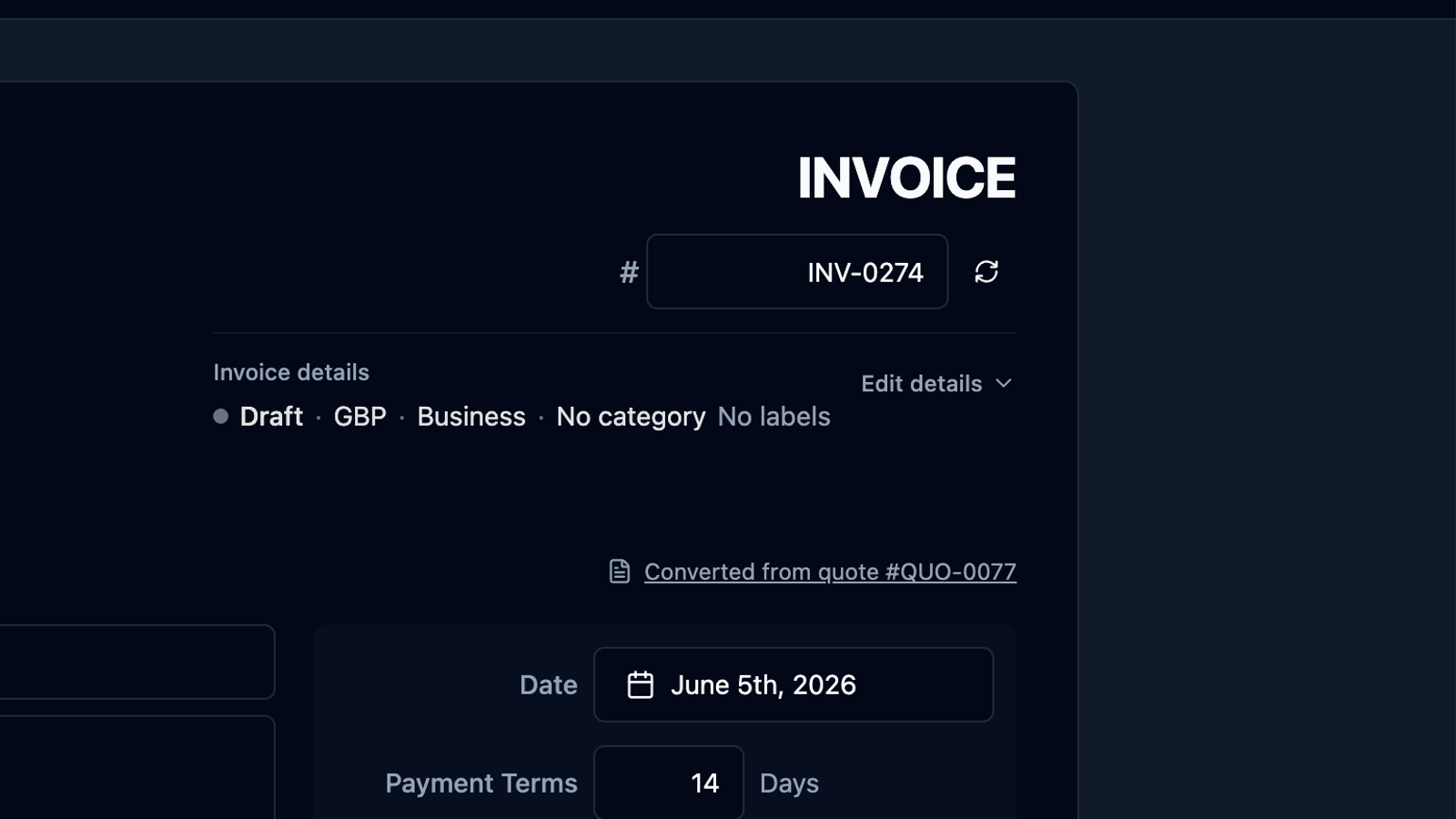
Invoice numbers seem like a small detail.
Until you need to find an old invoice, answer a client question, check whether something has been paid, or prepare records for your accountant.
For freelancers, sole traders, consultants, tradespeople, creatives, and independent workers, a clear invoice numbering system is one of the easiest ways to keep invoicing organised.
It does not need to be complicated.
You just need a system that is clear, consistent, and easy to continue.
In this guide, we’ll look at how to number invoices as a freelancer, common invoice number formats, mistakes to avoid, and how recevo.io can help you create numbered invoices without signing up for another account.
What is an invoice number?
An invoice number is a unique reference for an invoice.
It helps you, your client, and anyone reviewing your records identify one invoice from another.
For example, instead of saying:
“the invoice I sent to Acme last month”
you can say:
“invoice INV-0042”
That makes everything easier.
Invoice numbers help with:
- finding invoices later
- matching payments to invoices
- replying to client queries
- keeping records organised
- exporting invoice data
- handing records to an accountant
- avoiding duplicate or confusing invoice documents
A good invoice number is not just a label. It is part of your record-keeping workflow.
Do freelancers need invoice numbers?
In practice, yes.
If you are sending invoices as a freelancer, invoice numbers are strongly recommended because they make your records easier to manage.
Your clients may also expect them. Larger clients, finance teams, and procurement systems often use invoice numbers to process payments and match invoices to purchase orders or supplier records.
Invoice numbers also make your own admin easier.
When every invoice has a clear reference, you can track what you sent, what was paid, what is still outstanding, and what needs follow-up.
This article is general guidance, not tax or legal advice. If you are unsure what your business needs to include on invoices, check with your accountant or official guidance for your country.
The simplest invoice numbering system
The simplest invoice numbering system is a short prefix followed by a number.
For example:
- INV-001
- INV-002
- INV-003
This works well for many freelancers.
It is easy to understand, easy to continue, and easy for clients to quote when making payment.
If you are just starting out, this is usually enough.
You do not need to make invoice numbers clever. You need to make them reliable.
Should invoice numbers be sequential?
Sequential invoice numbers are the easiest to manage.
That means each new invoice gets the next number in the sequence:
- INV-001
- INV-002
- INV-003
- INV-004
This helps you spot gaps, avoid duplicates, and keep your invoice records tidy.
A gap is not always a problem. You might delete a draft, cancel an invoice, or decide not to send something. But if your numbering system is random or inconsistent, it becomes harder to explain your records later.
For most freelancers, a simple sequence is the safest and least stressful option.
Common invoice numbering formats for freelancers
There are several ways to number invoices.
The best choice depends on how you work.
1. Simple sequential invoice numbers
Example:
- INV-001
- INV-002
- INV-003
This is the best starting point for most freelancers.
It is clean, short, and easy to read.
Use this if you have one main freelance business and want the simplest possible system.
2. Year-based invoice numbers
Example:
- 2026-001
- 2026-002
- 2026-003
This format includes the year, which can make invoices easier to group.
It is useful if you want your invoice numbers to show which year the invoice belongs to.
Some freelancers reset the number each year, such as:
- 2026-001
- 2026-002
- 2027-001
- 2027-002
Others keep a continuous sequence and include the year only as a helpful reference.
Whichever approach you choose, be consistent.
3. Month-based invoice numbers
Example:
- 2026-06-001
- 2026-06-002
- 2026-07-001
This format can work if you send many invoices each month.
But for many freelancers, it is more detail than necessary.
Month-based numbering can also become awkward if you need to search across long periods or explain why numbers reset every month.
Use this only if it genuinely helps your workflow.
4. Client-based invoice numbers
Example:
- ACME-001
- ACME-002
- BETA-001
This can be useful if you work with a small number of repeat clients and want each client to have its own invoice sequence.
However, it can get messy as your client list grows.
You may end up with many separate sequences, which can be harder to manage than one simple overall sequence.
For most freelancers, client names or codes are better handled as invoice fields, labels, or customer records rather than being built into the invoice number itself.
5. Service-based invoice numbers
Example:
- DESIGN-001
- CONSULT-001
- DEV-001
This format separates invoices by type of work.
It might look organised at first, but it can become complicated quickly.
If your work changes, overlaps, or includes multiple services on one invoice, the numbering system becomes less useful.
It is usually better to keep invoice numbers simple and use categories, labels, or line items to describe the work.
What is the best invoice number format?
For most freelancers, the best invoice number format is:
INV-0001
or:
2026-0001
Both are clear, professional, and easy to continue.
A prefix like INV makes it obvious that the reference is an invoice. Leading zeros help numbers line up neatly as your invoice count grows.
For example:
- INV-0001
- INV-0002
- INV-0010
- INV-0100
This looks cleaner than:
- INV-1
- INV-2
- INV-10
- INV-100
The exact format matters less than consistency.
Choose a system you can keep using without thinking too hard.
Should you start at invoice 1?
You can start at invoice 1, but some freelancers prefer not to.
Starting at INV-0001 is honest and simple. There is nothing wrong with it.
But if you prefer your first client invoice not to look like your first ever invoice, you might start at a higher number, such as:
- INV-0100
- INV-1001
- 2026-0100
That is a presentation choice.
The important thing is that once you start using a sequence, you continue it consistently.
Do not restart numbering casually just because you change your template, redesign your invoice, or switch tools.
Should invoice numbers include dates?
Invoice numbers can include dates, but they do not have to.
Dates already belong in their own invoice fields: issue date, due date, and sometimes payment date.
Adding the year to an invoice number can be helpful. Adding the full date can make the number longer than necessary.
For example, this is usually readable:
2026-0042
This may be too long for everyday use:
INV-2026-06-13-0042
The more information you add to the invoice number, the more likely it is to become awkward.
A simple number plus proper invoice dates is usually better.
Should draft invoices have numbers?
This depends on your workflow.
Some freelancers prefer to number only final invoices. Others number drafts as soon as they are created.
The key is to avoid confusion.
If you create several drafts that never get sent, you may end up with gaps in your sequence. That may be fine, but you should understand why the gaps exist.
If you want a very tidy sequence, you might create draft invoices first and only assign final invoice numbers when you are ready to send them.
If you want a simpler workflow, assign numbers automatically and do not worry too much about occasional unused drafts.
Either approach can work.
What to avoid when numbering invoices
A good invoice numbering system is simple. Most problems come from making it too clever.
Avoid these common mistakes.
Reusing invoice numbers
Do not give two invoices the same number.
Duplicate invoice numbers create confusion for clients and make your records harder to trust.
If a client references invoice INV-0021, there should only be one invoice with that number.
Changing the format too often
Try not to switch between formats without a good reason.
For example:
- INV-001
- 2026-002
- CLIENT-003
- JUNE-004
This makes your records look inconsistent and harder to search.
Pick a system and stick with it.
Making numbers too long
Invoice numbers should be useful, not overloaded.
If the number includes the year, month, client code, service type, project code, and sequence number, it may become difficult to read and easy to mistype.
Use other fields for extra detail.
Relying on file names only
A file name is not the same as an invoice number.
You might save a PDF as:
acme-june-invoice.pdf
But the invoice itself should still have a clear invoice number inside it.
File names can change. Invoice numbers should remain part of the document record.
Forgetting to track payment status
Invoice numbering helps identify invoices, but it does not tell you whether they have been paid.
You also need a way to track status, payment date, payment method, partial payments, refunds, and balance due.
That is where a dedicated invoicing workflow can help.
How recevo.io helps with invoice numbering
recevo.io is private, no-signup invoicing for independent workers.
It helps you create professional invoices in your browser, including custom invoice numbering, customer details, line items, tax, discounts, notes, terms, PDF export, encrypted sharing, payment tracking, private notes, locking, cloning, and audit history.
Instead of maintaining invoice numbers manually in a spreadsheet, you can use recevo.io to keep your invoicing workflow more organised.
You can create numbered invoices, export professional PDFs, track whether invoices have been paid, and keep records in one browser-based workspace.
That means less manual admin and fewer fragile spreadsheet habits.
Why invoice numbering is easier outside a spreadsheet
Spreadsheets can work for invoice numbering, especially when you are just starting out.
But they rely on you maintaining the system.
You have to duplicate the right template, update the number, avoid overwriting old files, check formulas, export a PDF, and update a payment tracker somewhere else.
That can be fine for occasional invoicing.
But if you invoice regularly, a dedicated tool is usually easier.
recevo.io gives you the structure of an invoicing app without forcing you into a heavy accounting platform. It is invoicing-first, with useful depth around quotes, expenses, payment records, accountant exports, and backup.
It is not accounting software, tax filing software, payroll software, or a replacement for your accountant.
It is simply a practical way to create and manage invoices.
Keep the client experience in mind
Invoice numbers are not only for your records.
They also help your clients.
A clear invoice number makes it easier for a client to:
- approve the invoice
- forward it to finance
- quote it as a payment reference
- ask a question about it
- match it to a purchase order
- find it later
A professional invoice should be easy for the client to process.
The clearer your invoice is, the easier it is for the client to pay it.
Back up your invoice records
If you use recevo.io, your normal workspace lives in your browser.
That is a deliberate privacy and ownership choice. Your normal workspace is not stored in a central recevo.io invoice database.
The trade-off is that if browser data is cleared, your local workspace can be lost unless you have a backup.
recevo.io supports manual JSON Backup & Restore. Backup files are plain JSON for portability and transparency, so they may contain sensitive business data and should be stored securely.
recevo.io also offers optional Encrypted Cloud Backup as an off-device safety net. It is opt-in, off by default, and is not real-time cloud sync.
A good invoice numbering system helps you stay organised. Good backups help you keep that organisation safe.
Frequently asked questions
What invoice number should I start with?
You can start with INV-0001, or you can start at a higher number such as INV-0100 if you prefer. The most important thing is to choose a clear format and keep using it consistently.
Should invoice numbers be sequential?
Sequential invoice numbers are usually the simplest option for freelancers. They make it easier to avoid duplicates, spot gaps, and keep records organised.
Can I use the year in my invoice numbers?
Yes. A format like 2026-001 can work well if you want invoice numbers grouped by year. Just decide whether you will reset the sequence each year or continue the sequence across years.
Can I use client names in invoice numbers?
You can, but it can become messy if you work with many clients. For most freelancers, it is simpler to use one invoice number sequence and store the client name separately on the invoice.
Is an invoice number the same as a file name?
No. The invoice number should appear on the invoice itself. The PDF file name can include the invoice number, but the file name alone should not be your only reference.
Does recevo.io create invoice PDFs?
Yes. recevo.io lets you create professional invoices and export them as PDFs in your browser. You can also track statuses and payments, so the invoice record remains useful after the PDF has been sent.
Do I need an account to use recevo.io?
No. Open the app and start invoicing — no account required.
recevo.io does not require an email address, password, trial, or subscription to use the core no-signup invoicing app.
Try simpler invoice numbering
A good invoice numbering system should be boring.
Clear. Consistent. Easy to continue.
With recevo.io, you can create numbered invoices, export professional PDFs, track payment status, and keep your records organised in your browser.
Create your first invoice here:
No signup. No subscription. No invoice limits. Just private, browser-based invoicing for independent workers.
Unlimited invoices, quotes & expenses · Free forever
Send your next invoice from recevo.io, and every one after it, free
Create the invoice, download a branded PDF or share a secure read-only link, then record the payment when it lands. Free forever, no account needed.
Free forever · No account · No card · No watermark · Opens in a new tab
Unlike most free invoice tools:
- Unlimited invoices and quotes
- Branded PDFs with no watermark
- Works offline in your browser
- Your data never leaves your device
- Expenses and profit tracking included
- No account, no card, no premium tier

“I set up my branding once - now everything I send looks professional.”